
Sitefinity Release Notes
Sitefinity CMS 15.4.8625 (Product Update)
February 10, 2026
What's new in Sitefinity 15.4.8625
Sitefinity AI capabilities
NOTE: The introduced Sitefinity AI capabilities - Brand voice and style Agent and Dynamically Generated Experience - are available in Sitefinity Cloud based setup and require an active Sitefinity AI subscription.
Brand voice and style Agent
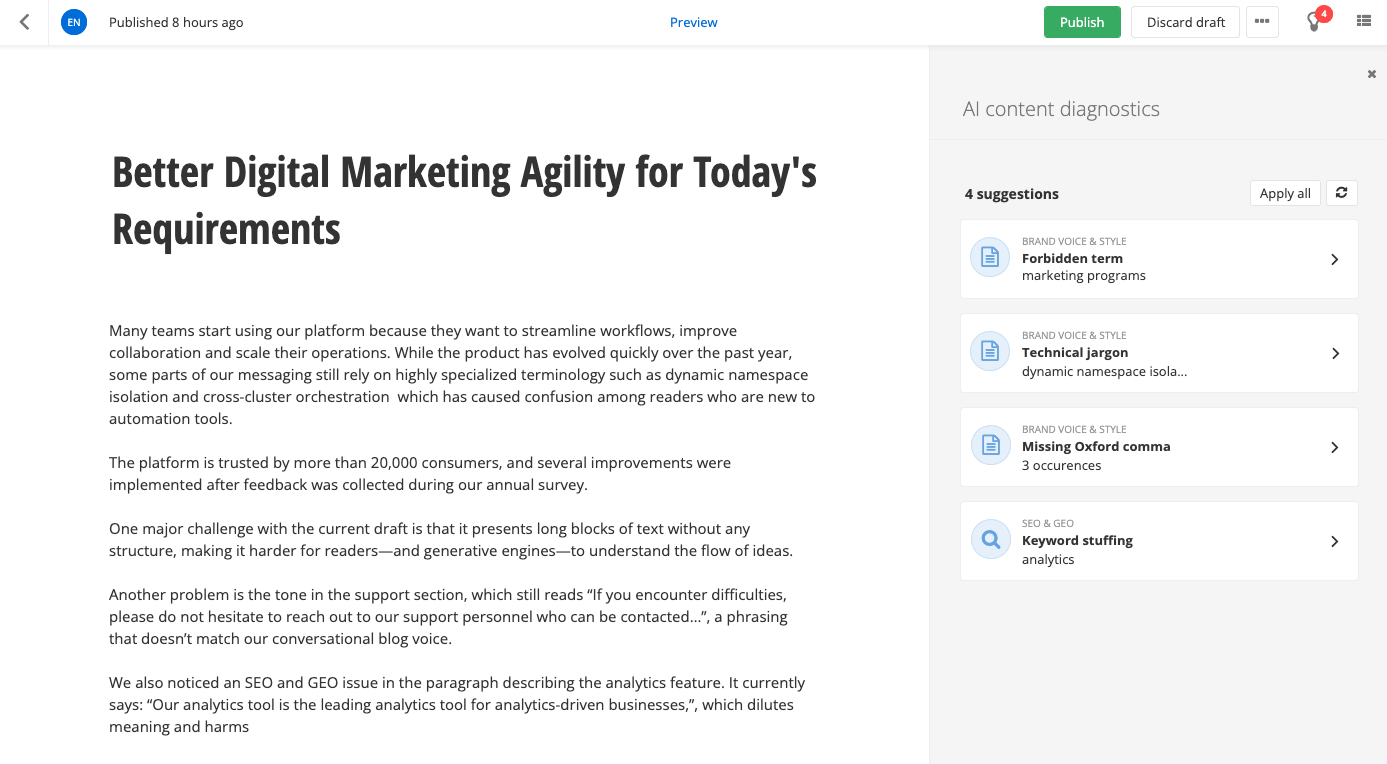
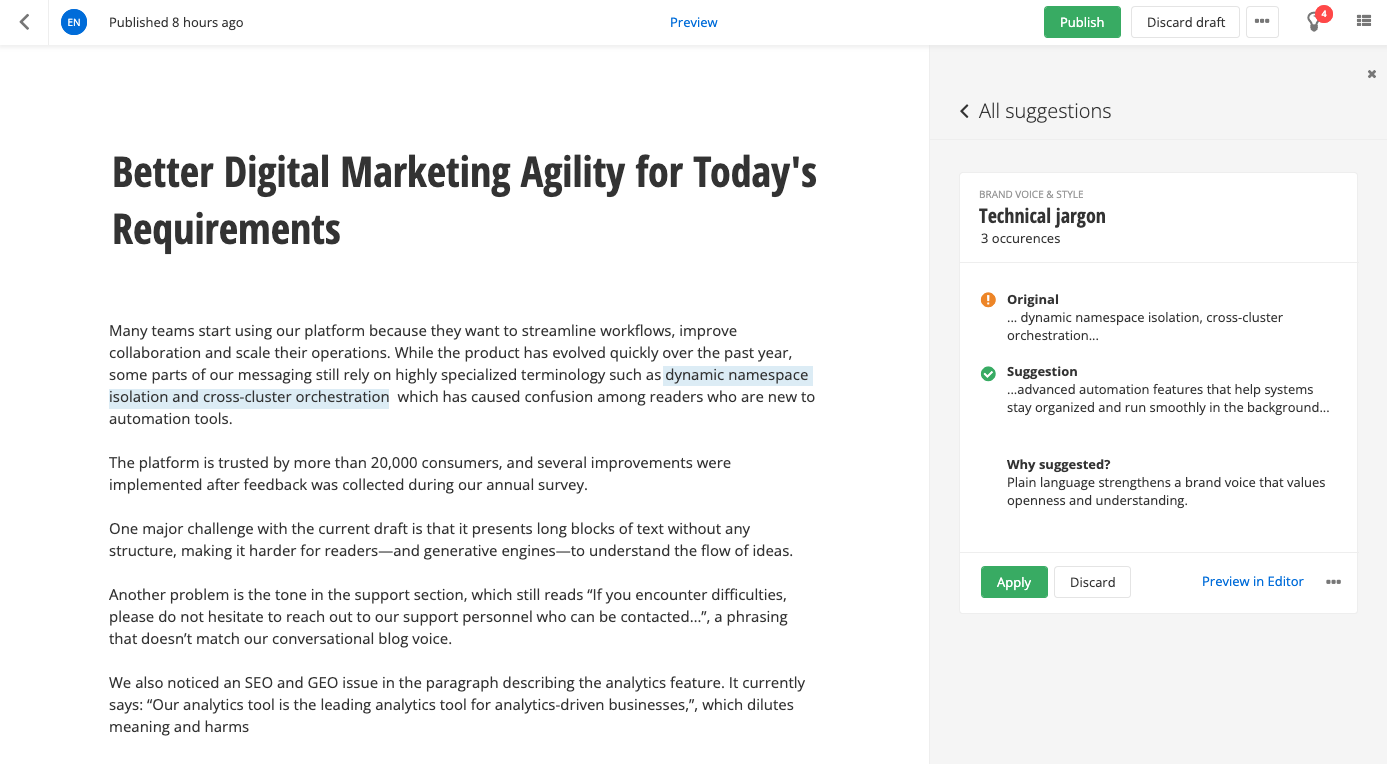
Brand voice and style Agent is now available, leveraging AI to ensure that content created in Sitefinity aligns with the organization’s defined brand voice. The AI Agent performs autonomous analysis of text-based content and provides actionable suggestions to align the tone of voice, writing style, and terminology while preserving the author’s intent. Integrated directly into the Sitefinity content editing experience, the Brand voice and style Agent works seamlessly with all existing workflows and content.
Upon interacting with the AI Agent, content editors have the option to apply consistent feedback, displayed in-context and in real time along their authoring experience.
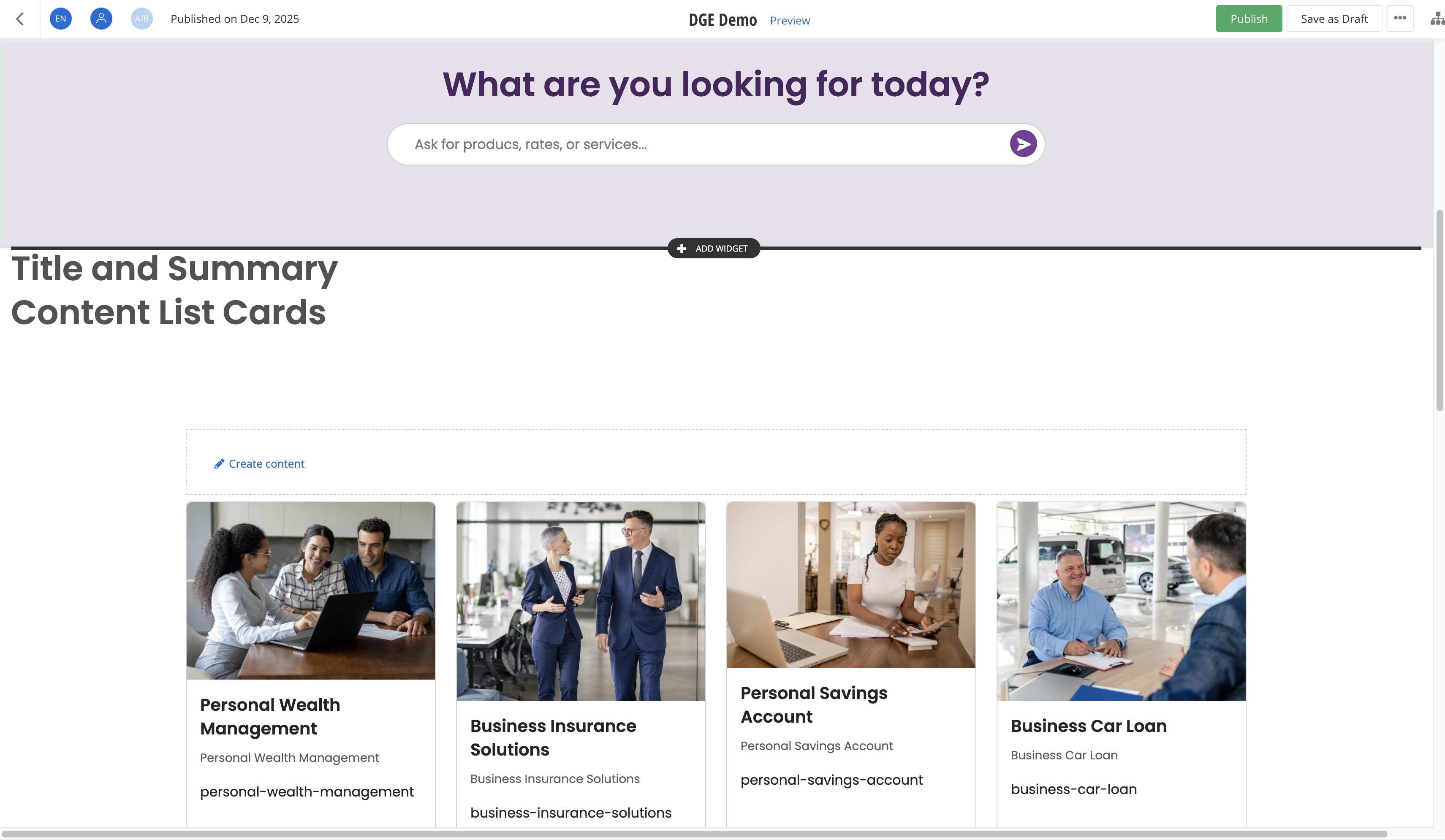
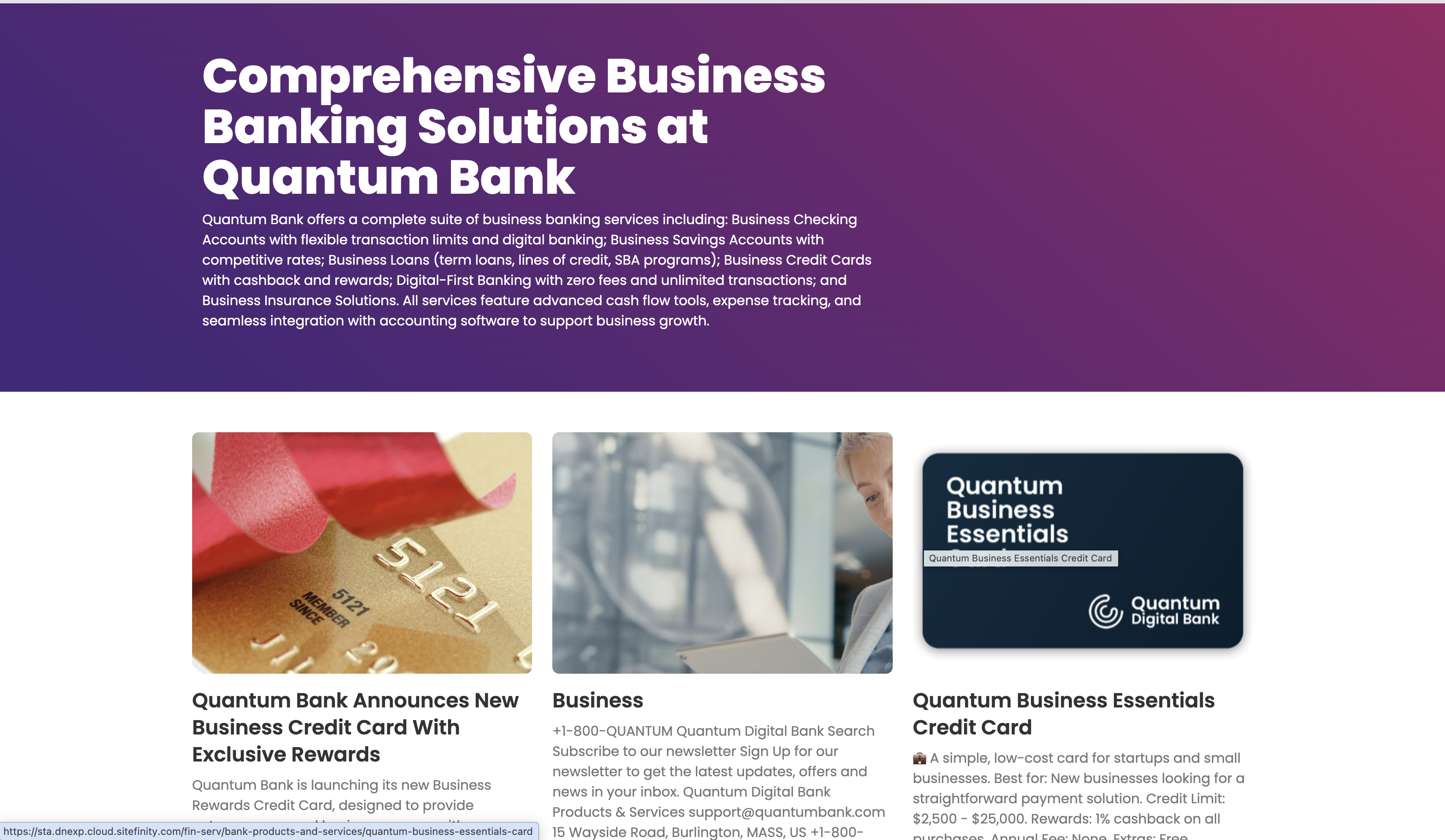
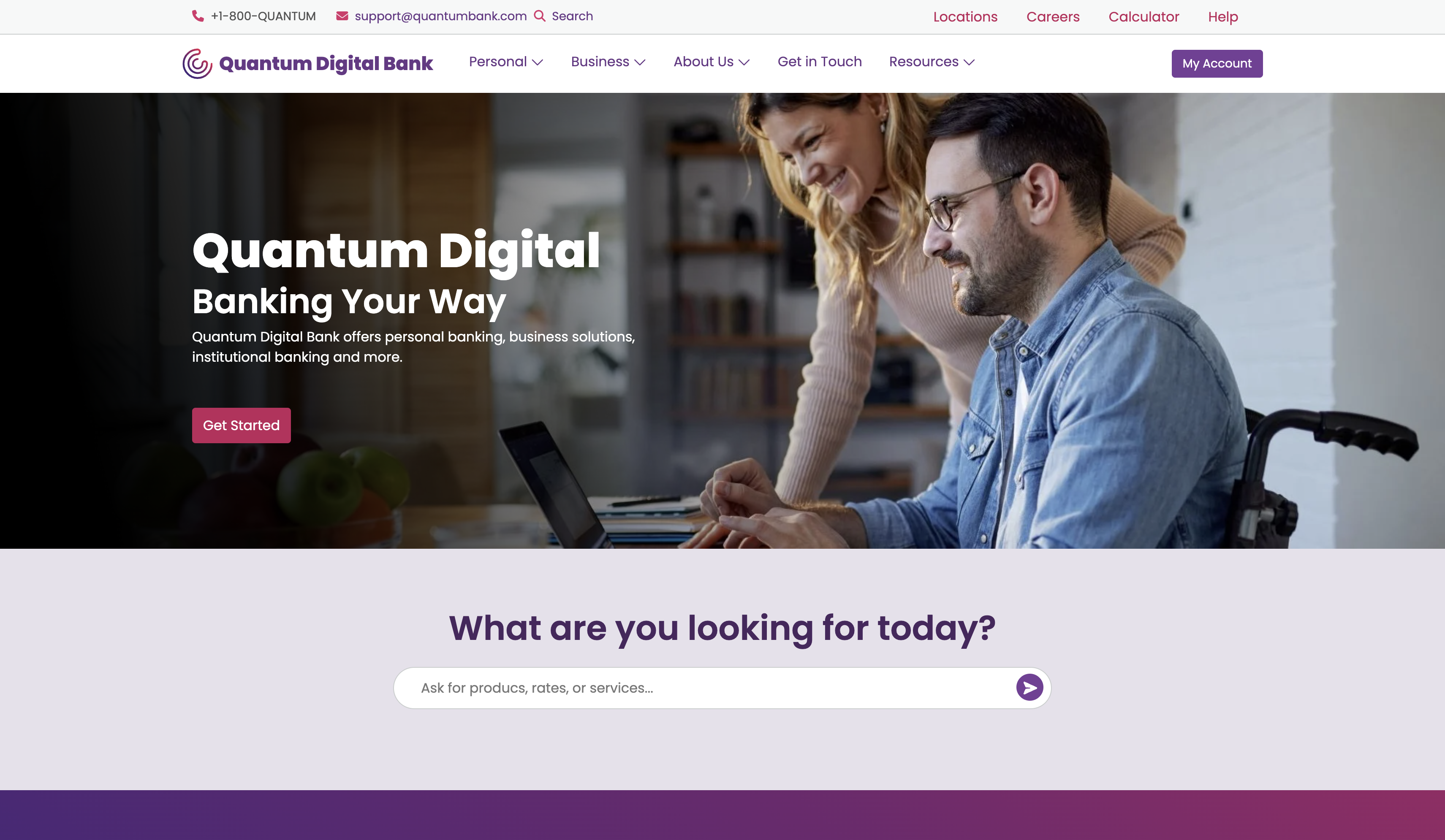
Dynamically Generated Experience
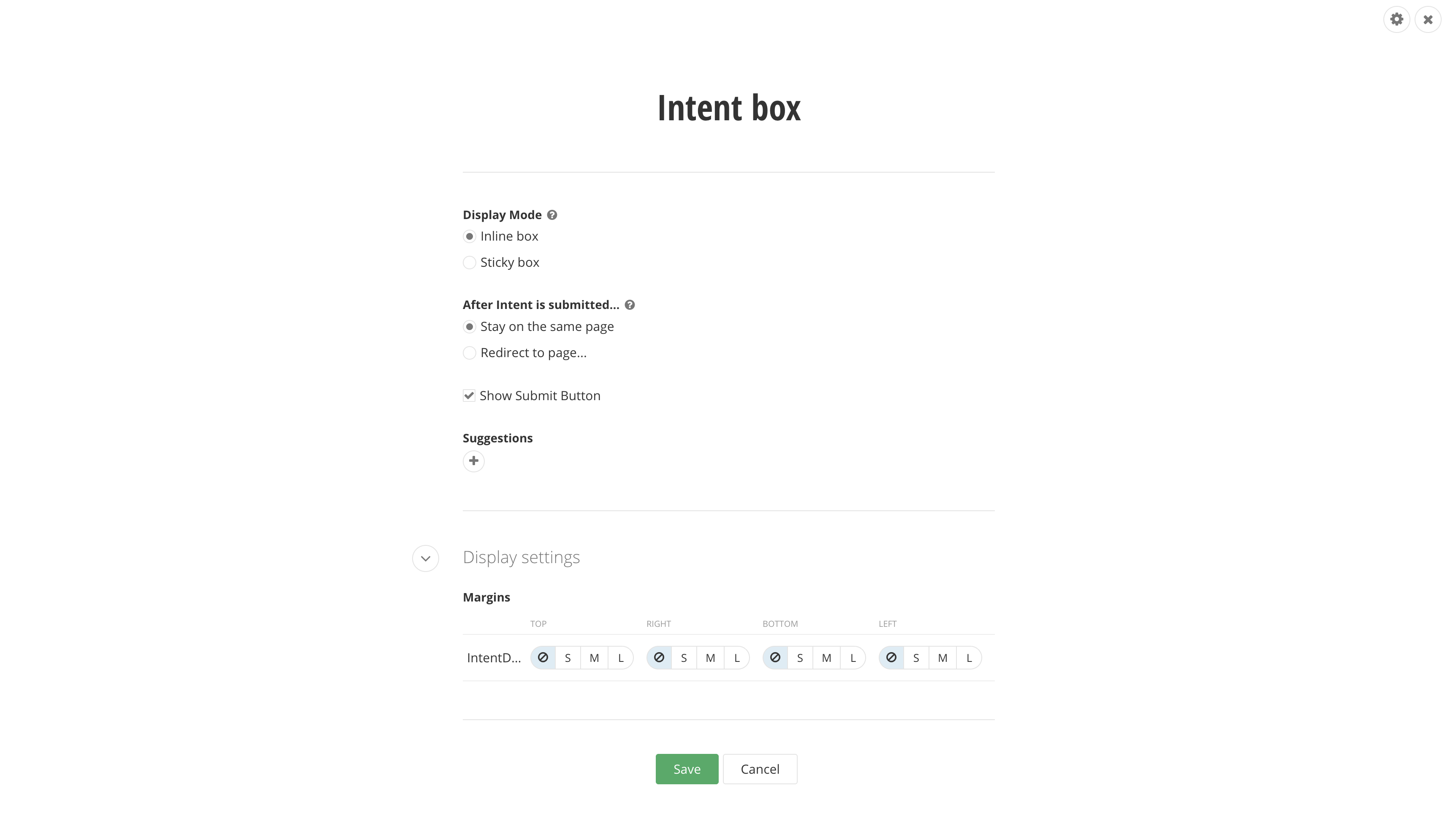
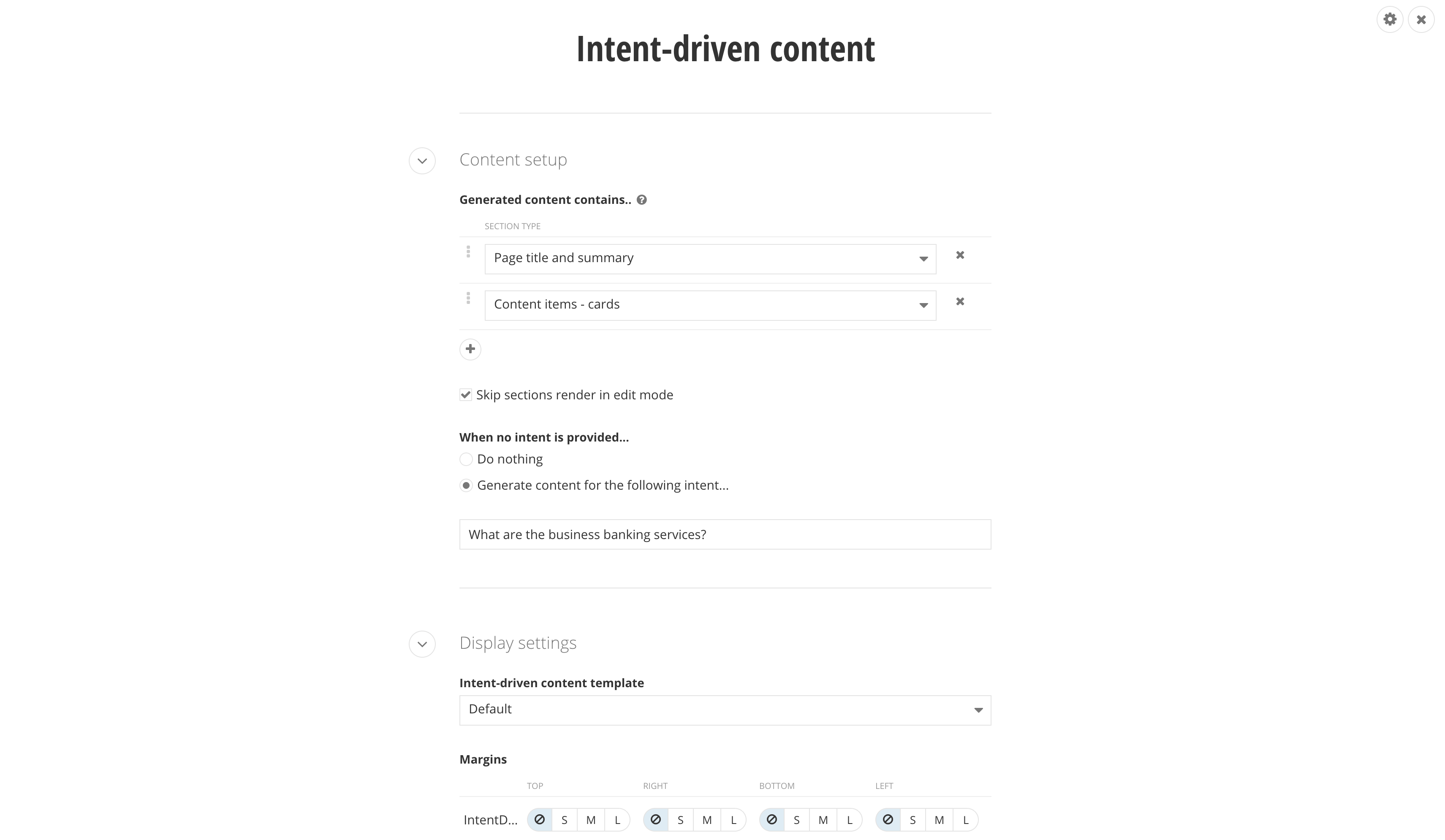
Dynamically generated experience
(DGE) is an AI-powered capability in Sitefinity that creates personalized, intent-based content
experiences in real time. Dynamically generated experience uses Large Language Models (LLMs) and
Retrieval-Augmented Generation (RAG) to dynamically assemble the content experience on the fly -
without maintaining large rule sets, but adapting to the visitor’s expressed intent and context.
DGE
provides new out-of-the-box widgets: Intent box and Intent-driven
content. These widgets allow content editors to seamlessly integrate dynamic
experiences into existing pages alongside static content, or build entire pages driven by
AI-generated personalization.
AI assistant widget: Progress Agentic
RAG support
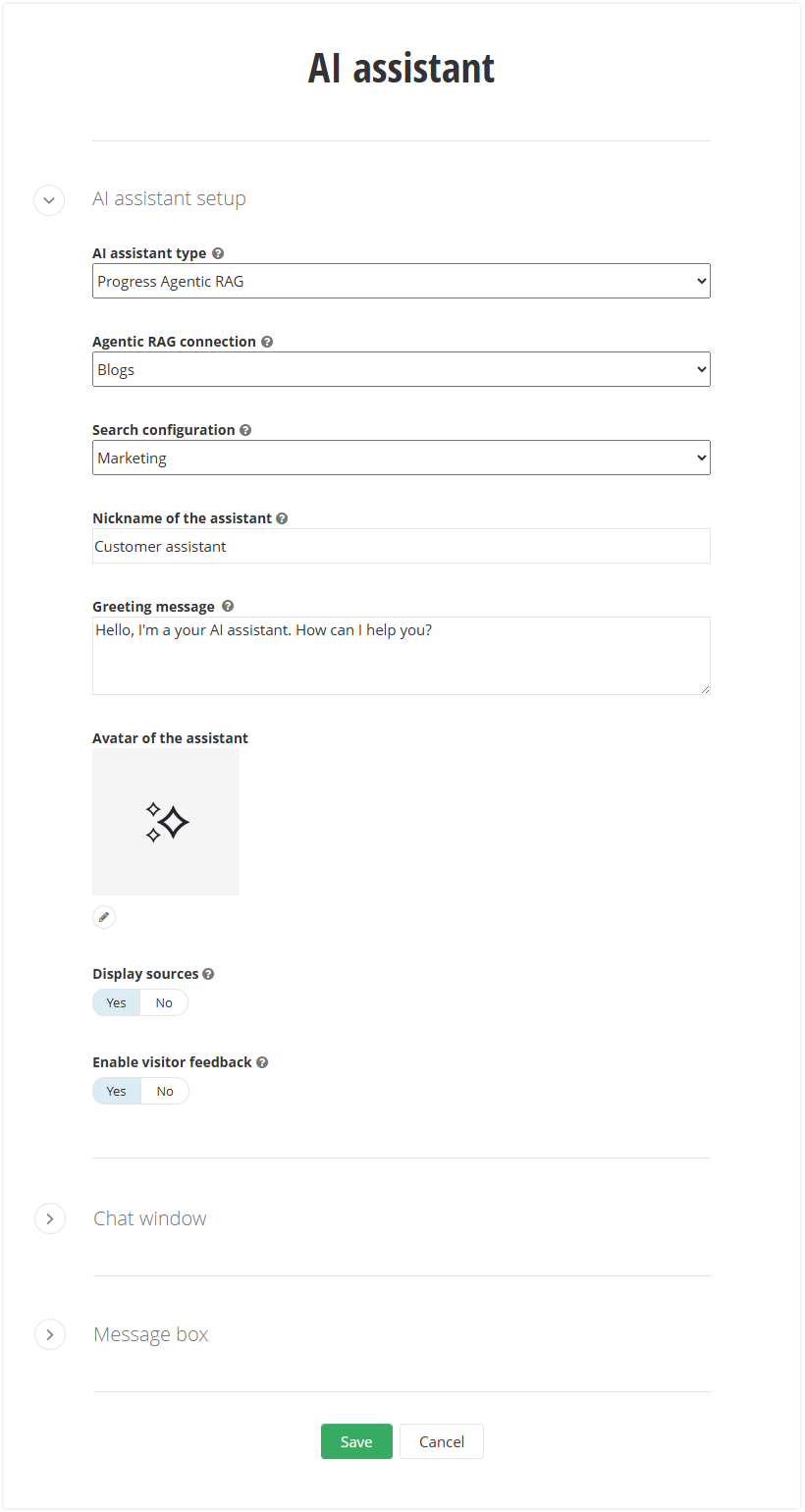
The AI assistant widget now offers
built-in support for Progress Agentic RAG. To start using the new Progress Agentic RAG type, you
simply need to configure a Progress
Agentic RAG knowledge box.
The Sitefinity AI Assistant serves as a conversational
interface - an intelligent chatbot - designed to enhance the visitor experience by providing
intuitive access to your site's content. You use the AI assistant to enable your visitors to use
natural language in self-service experiences, including dynamic FAQ and Q&A content, thus
reducing friction and improving user satisfaction.
Learn more from the relevant documentation: AI assistant widget (ASP.NET Core), AI assistant widget (Next.js), or AI assistant widget (MVC).
What's fixed
Below is a list of all fixes from 15.4.8600 until 15.4.8625
Next.js Renderer
-
Next.js Renderer: Previewing a content item does not fetch related data fields (574550)
-
Next.js Renderer: Cannot read properties of null (reading 'contentItemModel') when saving the widget (571401)
-
Next.js Renderer: Hidden form fields are not hidden when in a layout section with columns (576582)
-
Next.js Renderer: Unable to use Google authentication (573191)
-
Fix Search widget in Next.js to respect parameter show results for all sites or current site (571566)
ASP.NET Core Renderer
-
ASP.NET Core Renderer: AI assistant widget improvements in Page editor (561230)
-
ASP.NET Core Renderer: Image widget displays original image when no thumbnail is available (578073)
-
ASP.NET Core Renderer: Multiple images in Content blocks break subsequent SVG icons (574817)
-
ASP.NET Core Renderer: Background image/video set for duplicated Section widget is not rendered (572949)
-
ASP.NET Core Renderer: Old Renderer versions are incompatible with Sitefinity 15.4 (575724)
-
ASP.NET Core Renderer: Exception when importing entries in a complex object through the AddMany file option (568912)
Site Sync
-
Site Sync does not update unpublished documents on the Target when using Azure Blob Storage (580029)
-
Site Sync: Multiple environments setup not possible in SaaS mode (580532)
-
Site Sync: Sync email templates along with forms (575460)
-
Site Sync: Pages do not appear for sync to the target environment (in multilingual setup) (576758)
-
Site Sync: Sync operation of large video files results in "A task was canceled" error (573288)
-
Site Sync: Improve SiteSync WCF service (GetPendingItems endpoint) to work with first server when server in request is empty (574953)
-
Site Sync: Total count items pending sync not matching actual items pending sync (575171)
-
Duplicate content items are generated when scheduled publishing is used along with Site Sync. The original items are not removed on the target environment (578633)
-
Search index file locking issue in NLB setup, causing errors and affecting Site Sync (578665)
Content Blocks
-
Content blocks: "Display on public site for..." setting per Role does not work when Personalization module is disabled (580021)
-
Content blocks do not load or work when used in sub-application mode (572384)
-
JavaScript error occurs upon saving HTML editor in a Content block (572505)
-
Pasting HTML in a Content block code view results in error (573195)
-
Content blocks: Relative link to a child page rendered incorrectly as domain in multisite setup (550167)
Search
-
Search: Inconsistencies in search index when using site-specific classification (576930)
-
Search suggestions on MVC widgets do not support ASCII characters (573615)
-
Hybrid search: DefaultUrl property is generated with "localhost" instead of default domain (573823)
-
Hybrid search: Adding a custom field to a module does not include it in "hybridsearch indexes" (574997)
AI
-
AI Assistant: Selecting the created AI assistant does not populate a greeting message and name value (554577)
-
AI service allows creating new taxa when Allow creating new taxa setting is set to false (578630)
-
Taxonomies: Use AI suggestions is not working when the existing tags are too large count (578273)
-
Flat taxa field does not validate creating new taxa from AI suggestions, when Allow creating new taxa setting is disabled (578630)
Other
-
Fix OData error logging (stack trace and error message not written in logs) (573996)
-
Custom role with permissions to manage users, roles and permissions is unable to assign roles to users (571872)
-
Admin App: The Compare Translation sidebar breaks for dynamic content items when a language is deleted or disabled (569129)
-
Preview link for content items does not work for Editor (Non-Admin) role when saving as Draft (572401)
-
Message Templates: Locked Message Template cannot be unlocked from the UI (563345)
-
Invalid access token is obtained from refresh token with expired backend user session (572704)
-
OData: Duplicate content Items returned with paged results (433093)
-
Fixed an issue where a document processing failure could cause a deadlock, blocking the processing of all documents (576163)
-
MVC Image widget throws exception when the selected image is deleted (574436)
-
Required custom DateTime field value is not initially persisted (576743)
-
Admin App: After upgrading to Sitefinity 15.4, a 'Default.BackgroundTasks' error occurs in the browser console (575463)
-
Intermittent error after deleting a form causing exception in the backend (579426)
-
Intermittent issue with stale output cache item, potentially caused by delay of L2 cache invalidation in NLB communication (578444)
-
N+1 performance issue on the Page Templates screen (571755)
-
Workflow: Deleted approver user remains set as approver in the UI (573013)
-
Email campaigns: Missing validation notification when adding a new subscriber with duplicated email (573660)
-
Rich-text editor: "Link style" dropdown in the links quick actions menu is not opening (573296)
-
Rich-text editor: Image gets underlined on hover when a link has been inserted (562012)
-
Sharing providers between instances does not work for related data (571298)
-
Default fields: FolderId and ParentId #ResourceNotFound#:ModuleEditorResources:Guid (574962)
-
Personalization: Personalized page cannot be scheduled for publishing in "Awaiting Approval" state (575086)
-
Redirecting a page results in a Validation Warning (574945)
-
Bug fix SharePoint filter not working (568862)
-
Creating page with Classification required field fails (553329)
Regards,
Progress
Sitefinity Team

Progress Sitefinity
Meaningful engagement, elevated experiences delivered with ease.
Set your sites on Sitefinity.