
Introduction to Progress Developer Studio for OpenEdge: OpenEdge 12 Course
On-Demand Training

Course Description
Progress Developer Studio for OpenEdge (Developer Studio) is an Eclipse-based integrated development environment for ABL developers to create, test, debug, and integrate OpenEdge applications.
In this course, you learn to use and customize a workspace and its resources. You learn how to work with an ABL project and configure its database connection and PROPATH. This course introduces you to the OpenEdge Editor perspective and to the workspace views and preferences. You also learn to configure PAS for OpenEdge and debug OpenEdge applications in the Developer Studio.
This course is available as part of the Basic OpenEdge Developer Learning Path and Certification Exam program. Please log in to the Progress Education Community with your Progress ID, navigate to the Content Library and search for the Basic OpenEdge Developer Learning Path and Certification Exam. Then simply click the title for FREE access to all the content (courses, assessment exams, and certification exam).
Audience
ABL Developers
Duration
Equivalent to 6 hours of learning
Product Version
This course is compatible with OpenEdge 12.2 and 12.8.
What you will learn
After taking this course, you should be able to:
Create, start, and set up a workspace.
Create and import projects and files into a workspace.
- Use the OpenEdge Editor perspective to edit, compile, and execute an ABL code.
Manage workspace resources and customize your workspace views.
Configure and launch debugging sessions and use breakpoints for debugging an application code.
Prerequisites
Before you begin this lesson, you should meet the following prerequisites:
Ability to manage services and run programs in Windows.
Knowledge of the OpenEdge process architecture.
How to Subscribe
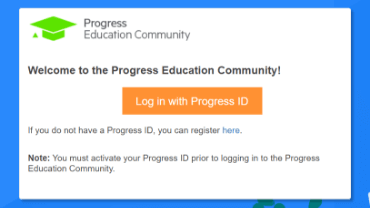
Step 1 - Log in
Visit the Progress Education Community (PEC) and log in with your Progress ID. If you do not have a Progress ID, you can register here.
Note: You must activate your Progress ID prior to logging in to the Progress Education Community
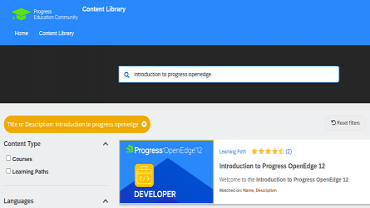
Step 2 - Find Your Content & Start Learning
Navigate to the Content Library and search for: Basic OpenEdge Developer Learning Path and Certification Exam. Then simply click the title for FREE access to the course.

Interested in the Class?
Stay up to date with technology trends and get the most out of your Progress technology investment.