Transferring an add-on
Transfer an add-on to assign its increased limit to a different API key or Workflow Automation account. A transfer takes effect immediately and does not create a charge.
Before you start
To transfer an add-on, your contract must be active and in good standing. You can transfer active add-ons and canceled add-ons that are still in their grace period. You cannot transfer blocked, inactive, deleted, or expired add-ons.
Important:
Only the contract owner can transfer add-ons.
You can transfer either of these add-on types:
- API add-ons: Reassign the Limit A and Limit B increase to a different API key.
- Automation add-ons: Reassign the monthly action limit increase to a different Workflow Automation account.
Transferring an add-on does not change its type or capacity.
What you need
Before you start, have the following information for the new target:
- API add-on: The new owner's email address and the API key's Client ID.
- Automation add-on: The new owner's email address and the Workflow Automation account ID.
Transfer an add-on
-
Go to Billing > Contract > My Plan.
-
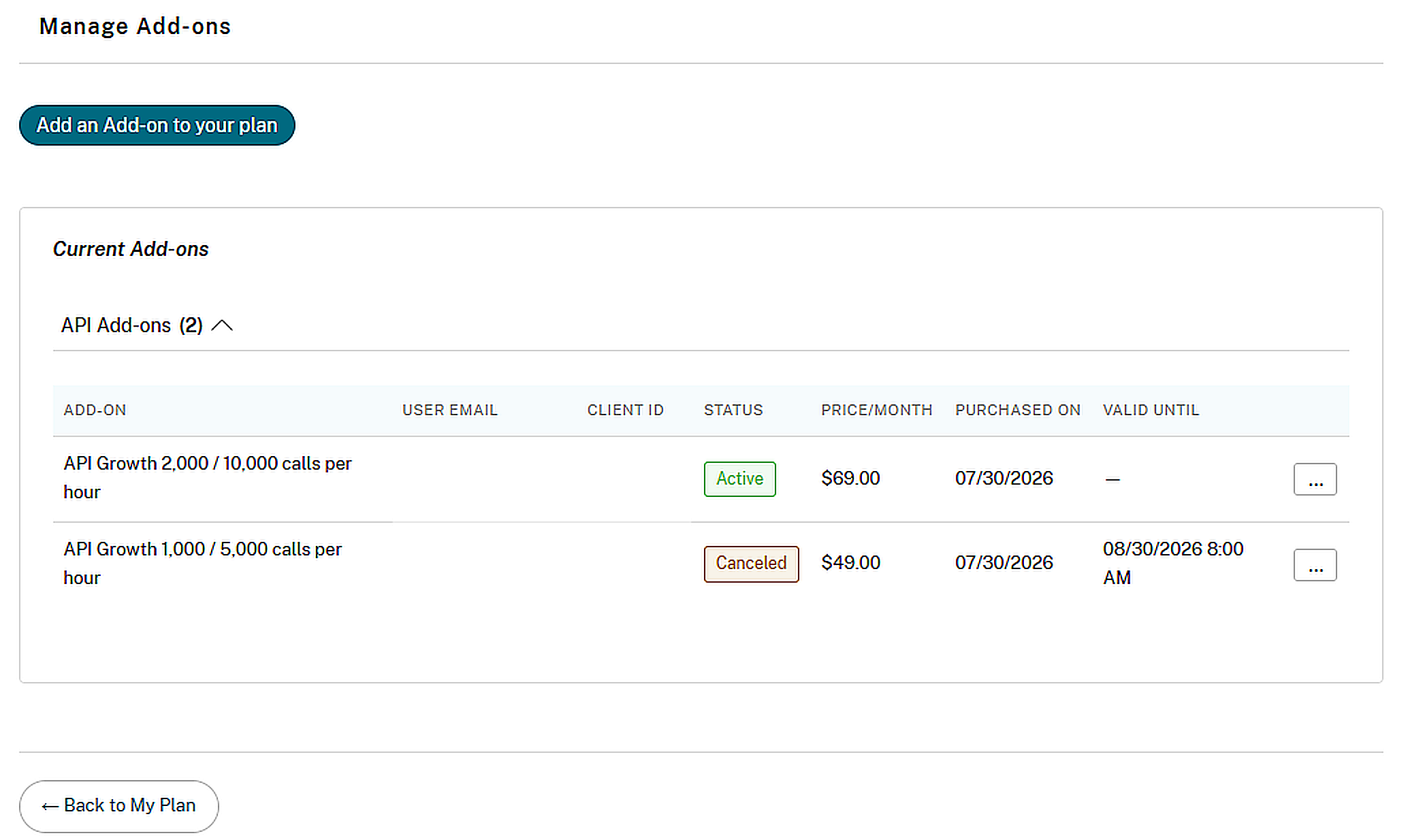
In the Payment Summary section, select Manage add-ons.
-
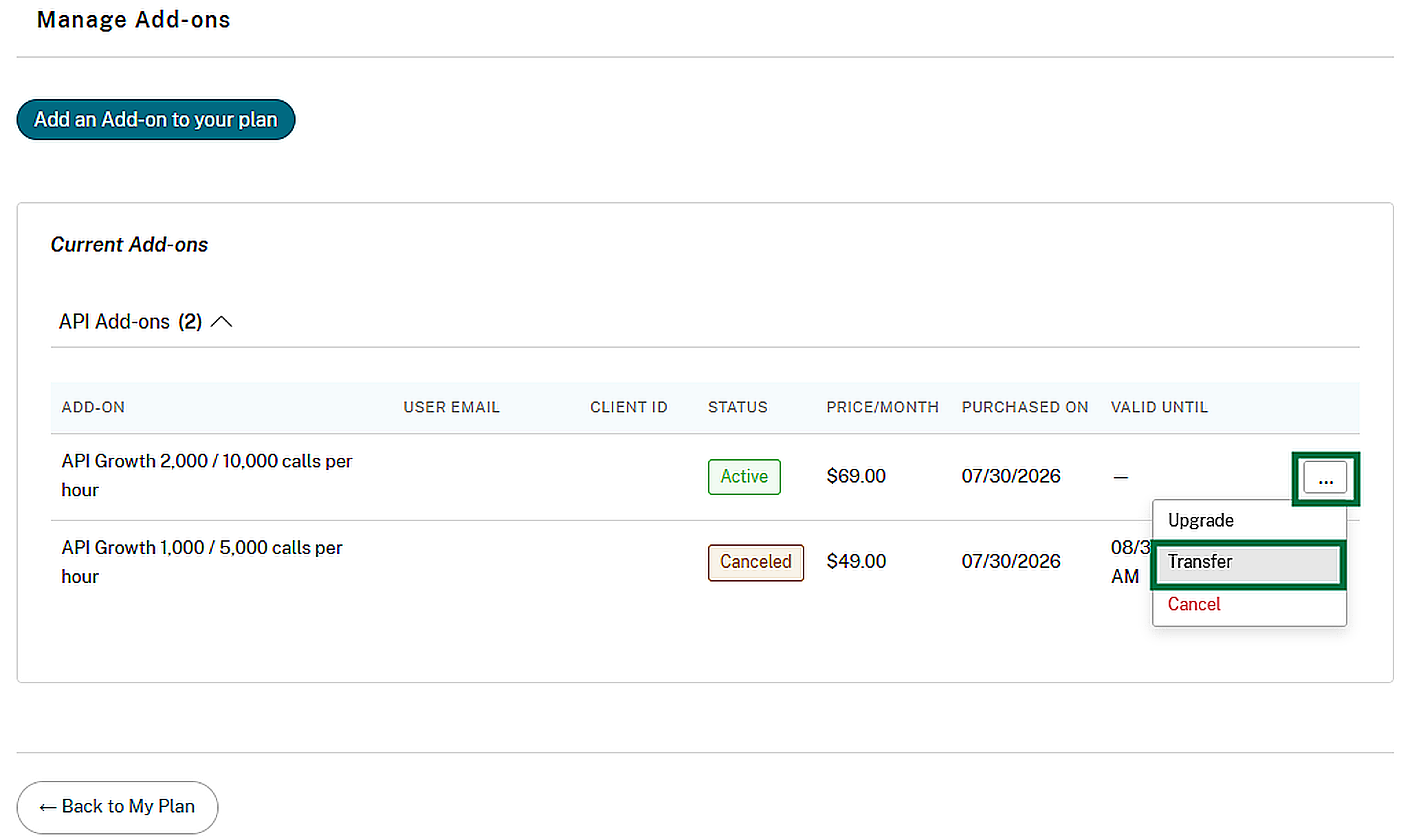
Find the add-on that you want to transfer. Select the overflow menu, then select Transfer.
-
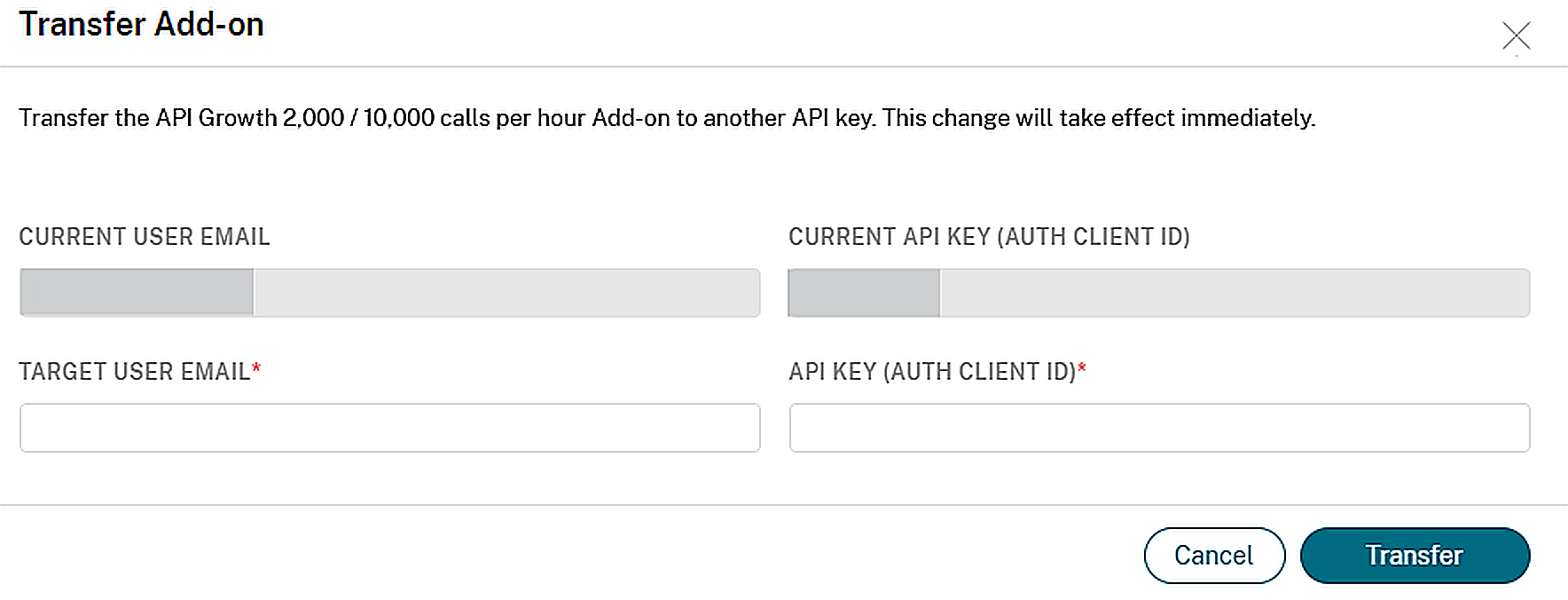
Enter the target owner's email address and the API key Client ID or Workflow Automation account ID.
-
Select Transfer to confirm.
What happens after you transfer
- The increased limit applies to the new target immediately.
- The new owner receives a confirmation email.
- The previous owner receives a transfer notification email.
- The add-on's price, status, and billing schedule remain unchanged.
- The add-on appears under the new owner in Manage add-ons.
If the transfer does not go through
You cannot transfer an add-on in the following situations:
- The contract is not eligible.
- The add-on is not in a transferable state.
- The target already has an add-on from the same group.
- The target user is not found or is not eligible.
- The API key or Workflow Automation account is not found.
- The add-on has already been transferred twice within the last 24 hours.