Add-ons and Usage Dashboard for Organization Admins
The add-ons and usage dashboard gives organization admins a single place to review every add-on purchased across the organization, along with how much of the increased limit is actually being used. Instead of checking each API key or Automation Account one by one, you can see them all together in one view.
Who can access it
-
Organization admins
-
Service User accounts that are members of the organization
NOTE:
Regular employees can't view this dashboard. They can only see their own usage from the API Keys settings page or the Workflow Automation Account Details page.
What the dashboard shows
The dashboard is split into two sections, one for each type of add-on:
-
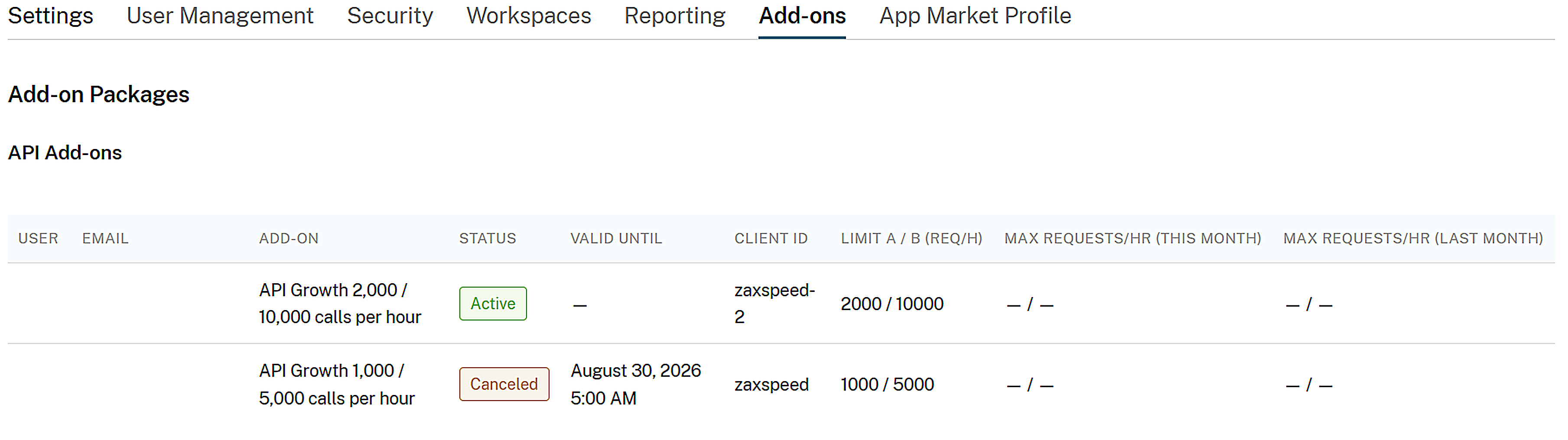
API key add-ons
-
The employee or Service User the API key belongs to, with their name and email address.
-
The add-on's current status (active, blocked, or canceled but still within its grace period).
-
The API key's current effective limits — Limit A and Limit B — with the add-on applied.
-
The API key's peak hourly usage against Limit A and Limit B, for the current month and the previous month.
-
-
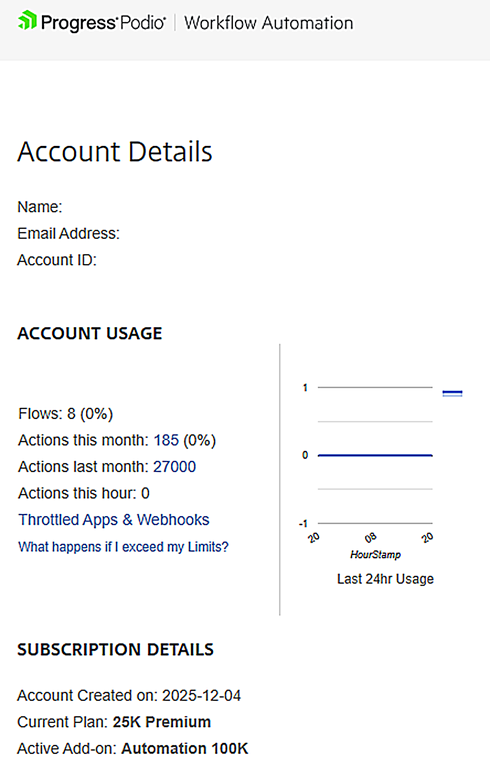
Automation add-ons
-
The employee or Service User the Automation account belongs to, with their name and email address.
-
The add-on's current status (active, blocked, or canceled but still within its grace period).
-
The Automation account's current action limit with the add-on applied.
-
The number of actions used, for the current month and the previous month.
-
Add-ons not shown on the dashboard
The dashboard only displays API keys and Automation Accounts that currently have an add-on or have had one recently. This includes add-ons that are active, blocked, or recently canceled and still within their grace period.
If an API key or Automation Account is using only the base limits and has never had an add-on purchased, or if a previous add-on has fully expired, it will not appear on the dashboard.
How to access it
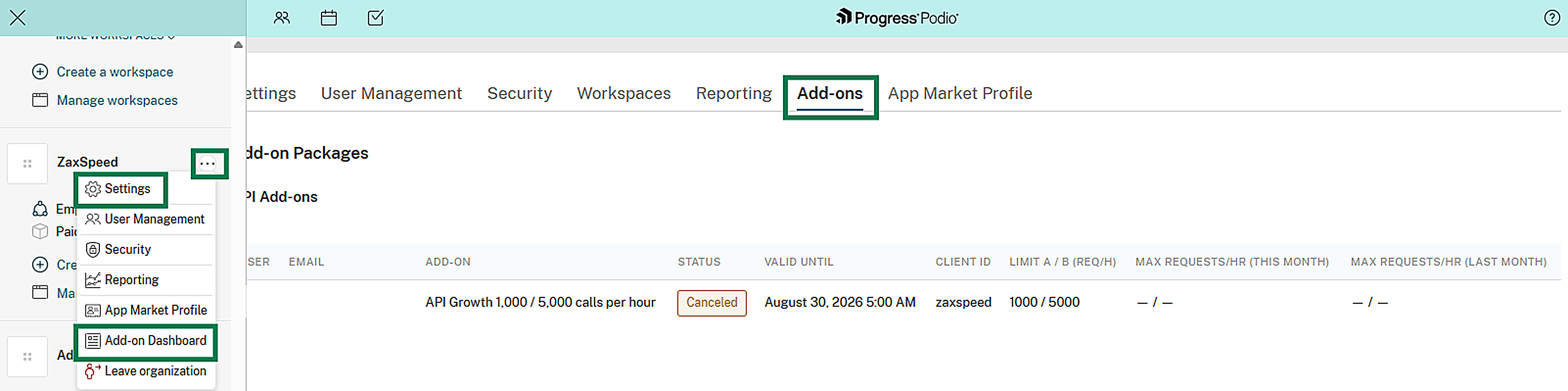
You can open the dashboard in either of these ways:
-
Go to your organization's settings and select the Add-ons tab.
-
Hover over your organization's name in the left sidebar, select the three-dot action menu, and choose Add-on dashboard.
Using the dashboard
The dashboard is a read-only view for keeping track of add-on usage across the organization. It's especially useful for:
-
Spotting API keys or Automation Account that are consistently close to their add-on limit, so you know when it might be time to upgrade
-
Confirming which employees or Service Users currently hold add-ons, and whether any are set to expire soon after a cancellation
-
Reviewing month-over-month usage trends before deciding whether to purchase, upgrade, or cancel an add-on
To purchase, upgrade, or cancel an add-on, the contract owner still needs to do this from Billing > Contract > My Plan > Manage add-ons.
See Purchasing an add-on, Upgrading an add-on, and Canceling an add-on.