How Add-ons increase your API and Automation limits
Podio and Podio Workflow Automation each include a base amount of usage at no extra cost. When your usage grows beyond that base amount, an add-on increases the limit for the specific API key or Automation Account that needs it. This article explains how those limits work and how an add-on changes them.
Base limits included with your plan
Every API key and Automation Account starts with a base limit included in your plan, at no additional cost:
-
API keys include up to 250 API calls per hour for Limit A and up to 1,000 API calls per hour for Limit B.
-
Automation Accounts on a Premium plan include up to 25,000 actions per month.
Note:
These base limits apply automatically. You don't need to do anything to use them, and you're never charged extra for staying within them.
How an add-on changes your limit
When you purchase an add-on for an API key or an Automation Account, its limit is raised to the level included with that add-on, replacing the base limit for as long as the add-on is active.
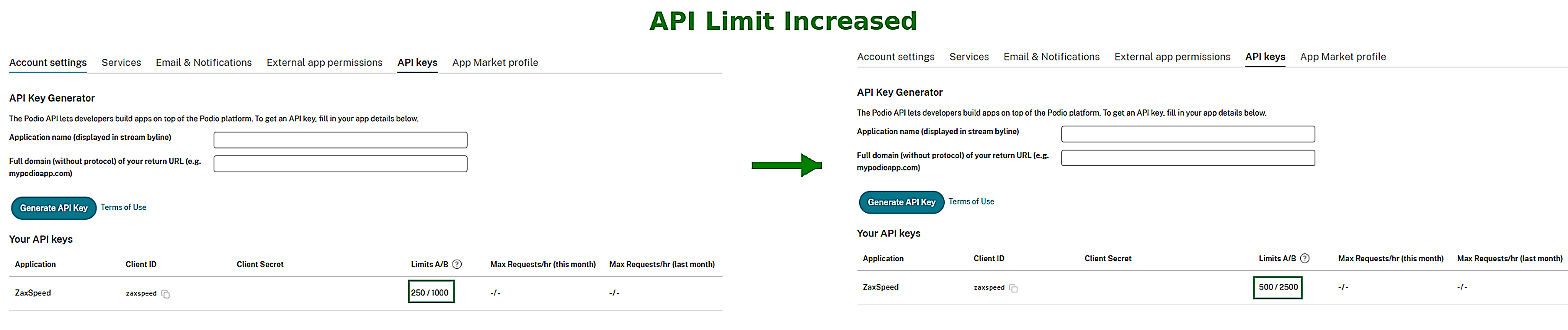
For example, if an API key's base limits are 250 calls per hour for Limit A and 1,000 calls per hour for Limit B, and you purchase an add-on that provides 500 calls per hour for Limit A and 2,500 calls per hour for Limit B, the API key can make up to 500 calls per hour (Limit A) and 2,500 calls per hour (Limit B) while the add-on remains active.
Note:
The increased limit applies immediately once the add-on purchase completes — there's no waiting period.
What happens when you cancel an add-on
Canceling an add-on doesn't remove its increased limit right away. The higher limit remains in place until the end of your current billing period, so your API key or Automation Account keeps working at the higher capacity through the time you already paid for. Once that period ends, the limit automatically returns to the base amount included with your plan.
See Canceling an add-on for full details on this grace period.
Purchasing a different add-on tier
An API key or Automation Account can only have one active add-on at a time. If you need more capacity than your current add-on provides, you upgrade to a higher add-on instead of purchasing a second one. See Upgrading an add-on for details.
Checking your current usage
Before deciding whether you need an add-on, you can review how close your API keys and Automation Account are to their limits:
-
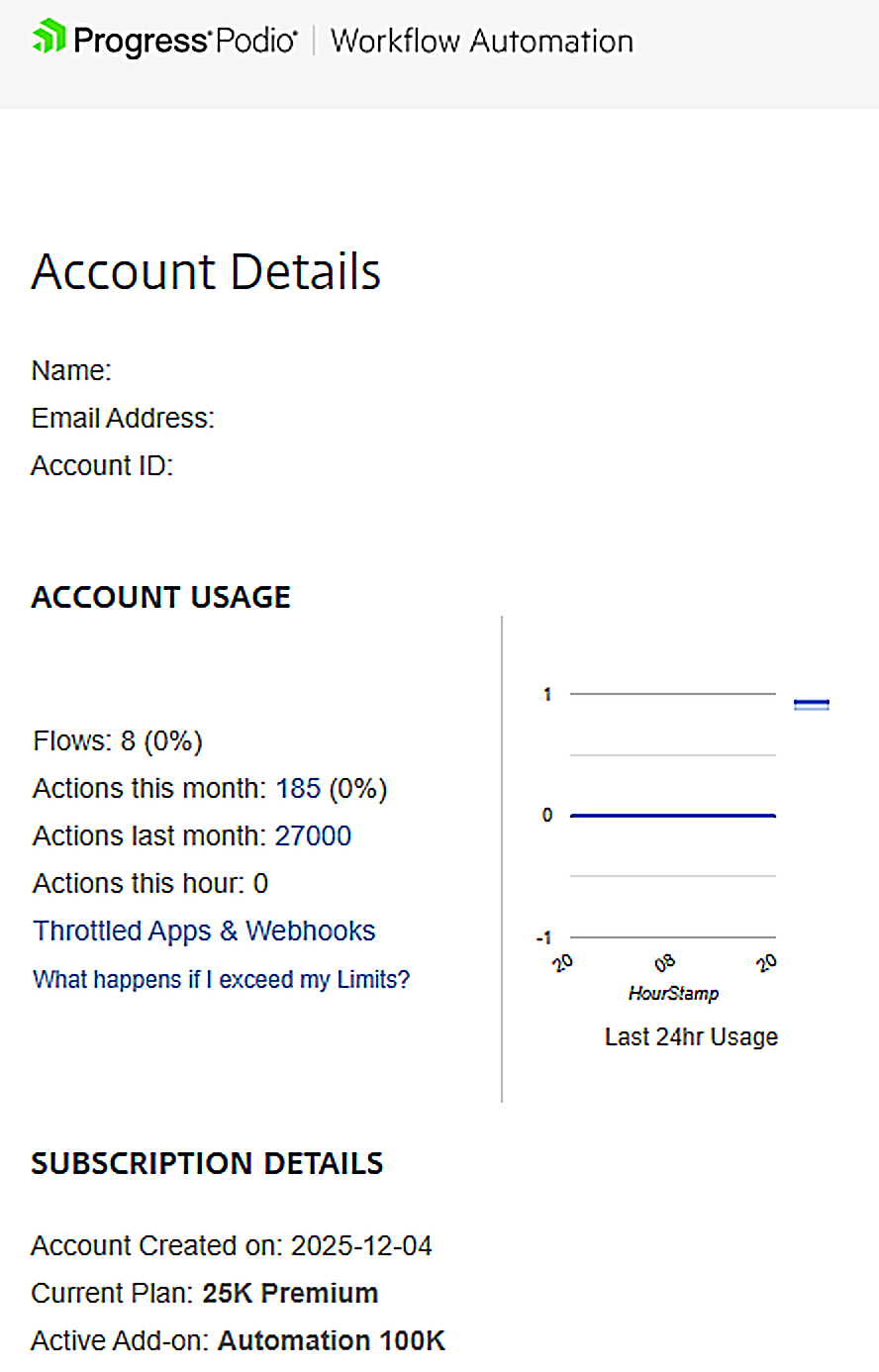
API usage — API key owners can review usage from the API Keys settings page.
-
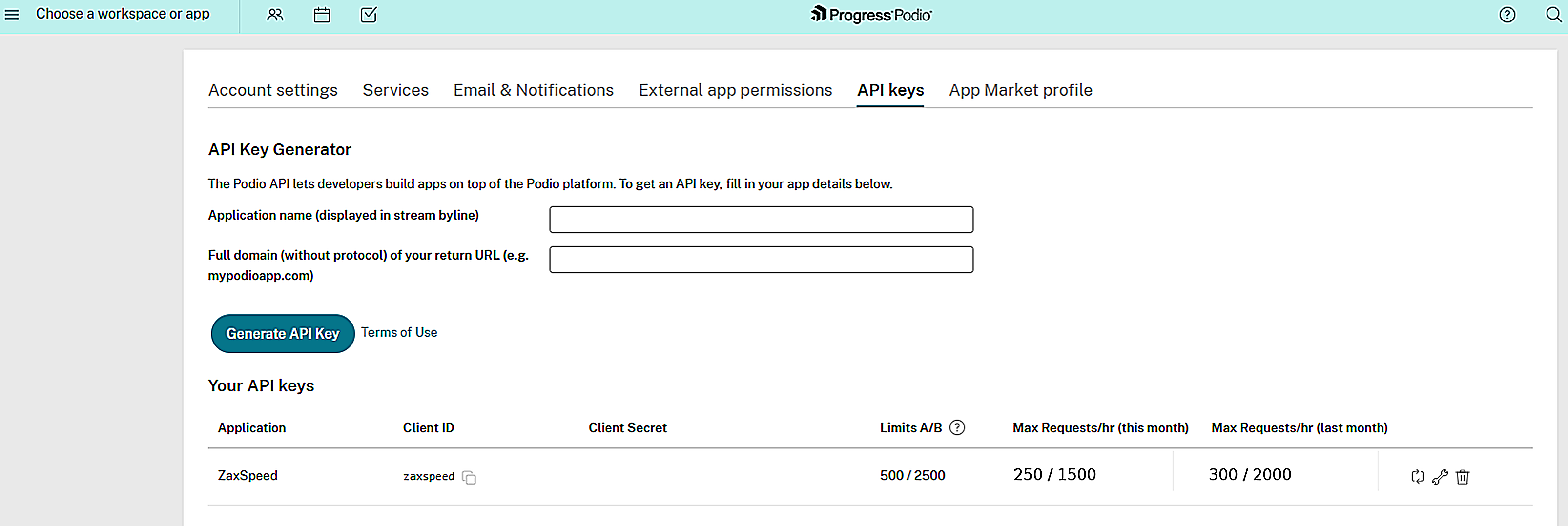
Automation usage — Automation account owners can review usage from the Workflow Automation Account Details page.
Organization Admins and Service Users can also review usage for org members who have an active or still-valid canceled add-on from the add-ons and usage dashboard — see Add-ons and usage dashboard for organization admins. Members who are still on their base limits (no add-on purchased) are not shown on that dashboard.