Canceling an Add-on
You can cancel an add-on at any time if you no longer need the extra capacity it provides. This article explains what happens when you cancel and how long the add-on stays effective afterward.
What happens when you cancel
Canceling an add-on doesn't stop it right away. The add-on remains active through the end of your current billing period, so the API key or Automation Account keeps its increased limit for the time you've already paid for. Once the billing period ends, the limit automatically returns to the base amount included with your plan.
Note:
You won't be charged for the add-on again after you cancel it. It simply runs out at the end of the period you already paid for.
Before you start
The add-on you want to cancel must currently be active. Add-ons that are already canceled or inactive don't need to be canceled again.
Important:
Only the contract owner can cancel add-ons.
Canceling an add-on
-
Go to Billing > Contract > My Plan.
-
In the Payment Summary section, select Manage add-ons.
-
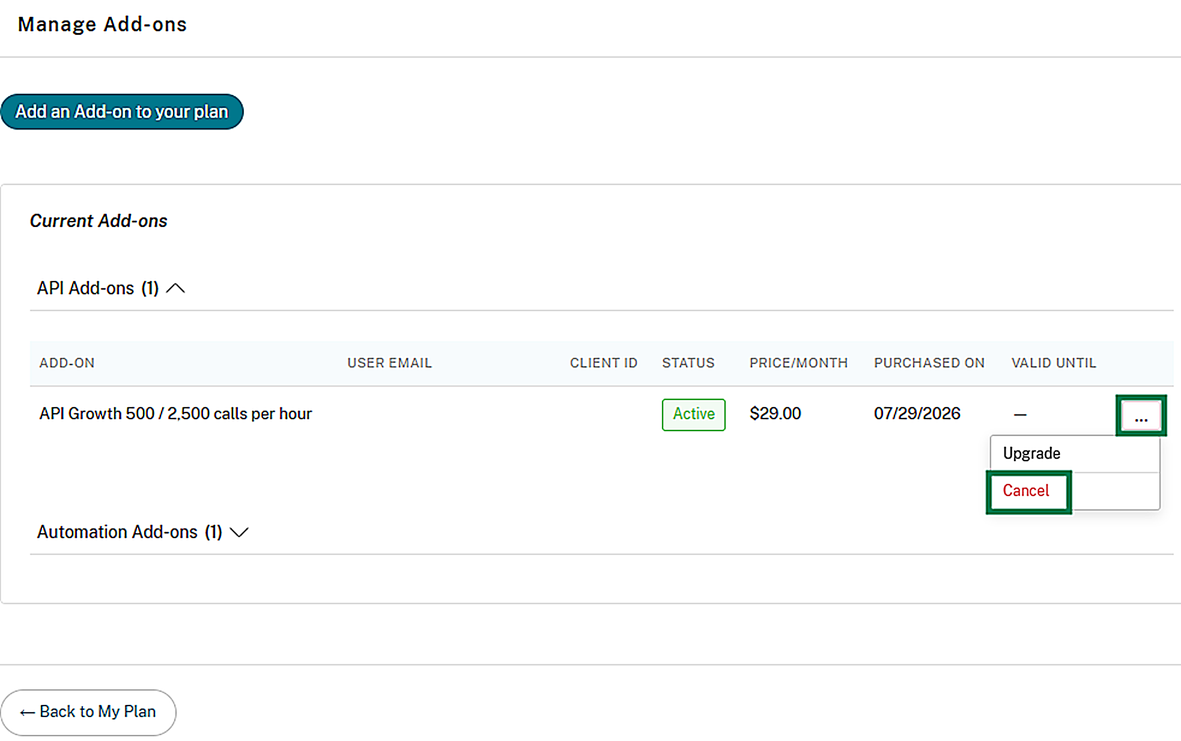
Find the add-on you want to cancel and select Cancel.
-
Confirm the cancellation.
What happens after you cancel
-
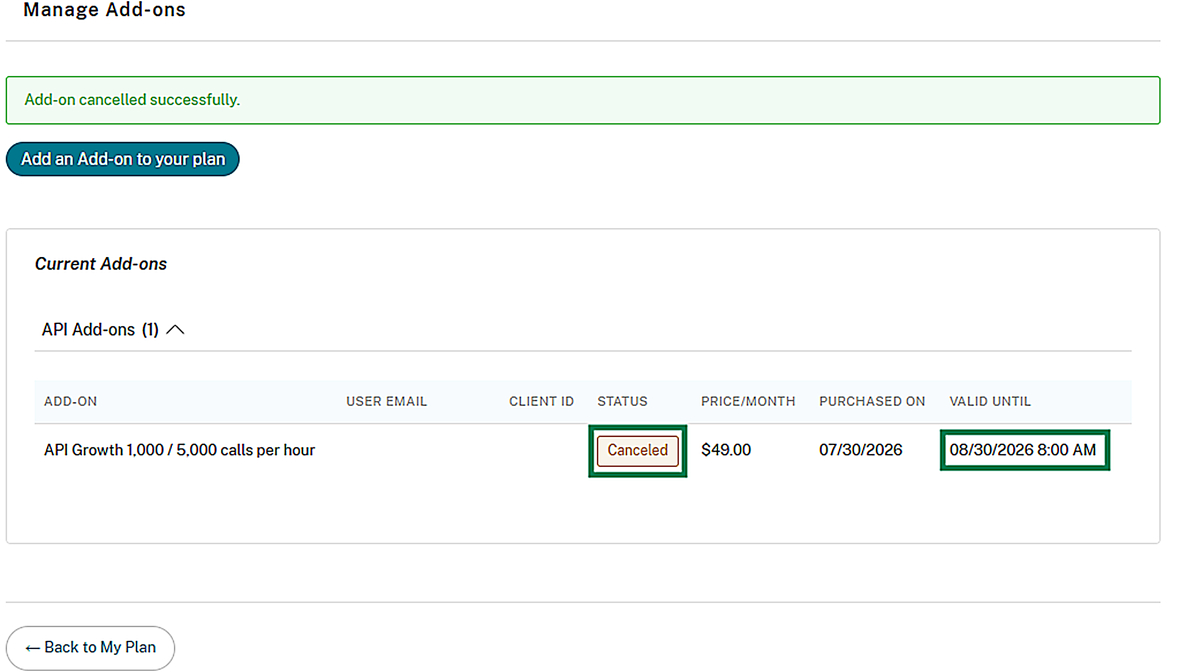
The add-on's status changes to be canceled in the Manage add-ons view, along with the date it remains active until.
-
The employee or Service User the add-on belongs to receives an email confirming the cancellation and the date the increased limit remains active until.
-
The contract owner receives an email confirming the cancellation request was accepted.
-
The add-on will no longer appear on your recurring invoices starting with the first billing cycle after it stops being active.
Note:
If your Podio contract is canceled or ends, any associated add-ons will also be canceled at that time. Add-ons do not remain active until the end of the current billing cycle after the Podio contract has been terminated.
Purchasing the same add-on again
While a canceled add-on is still within its remaining active period, you can't purchase the same add-on again for that API key or Automation Account — it's treated as still occupying that slot. Once the canceled add-on's active period ends, you're free to purchase it (or any add-on in the same group) again. See Purchasing an add-on.