5 Tips for Designing Customer Testimonial Sections

Word-of-mouth marketing can be an incredibly effective way to gain the trust of prospects. Your user testimonials deserve a place to shine on your website (and not just on external sites like Google or Yelp). Here are five tips for making these testimonials work in your favor.
Sometimes the strongest argument you can make to prospective customers, clients or users is to not make it yourself. Instead, let your existing or former customers do the talking for you.
Consumers have so many places where they can share reviews of companies these days—Google, Yelp, Reddit, social media and so on. That’s why it’s important to take control of the narrative by including testimonials on your own website.
Now, this won’t stop prospects from seeking out other review sources. However, a well-designed testimonials section will give them a fast and convenient way to check that what their gut is telling them is a good idea (i.e., to buy from or work with you).
Web Design Tips for Testimonials
Below are five things you can do to enhance the appearance of your testimonials and to make it worth your visitors’ while to stop and read them.
1. Place Them Where They’ll Be Found
The matter of where testimonials go on your website is contingent on what kind of website you have.
For example, the most natural place for testimonials to go on an ecommerce site is within the context of the product page. Here’s an example of how this looks on the Anthropologie website:
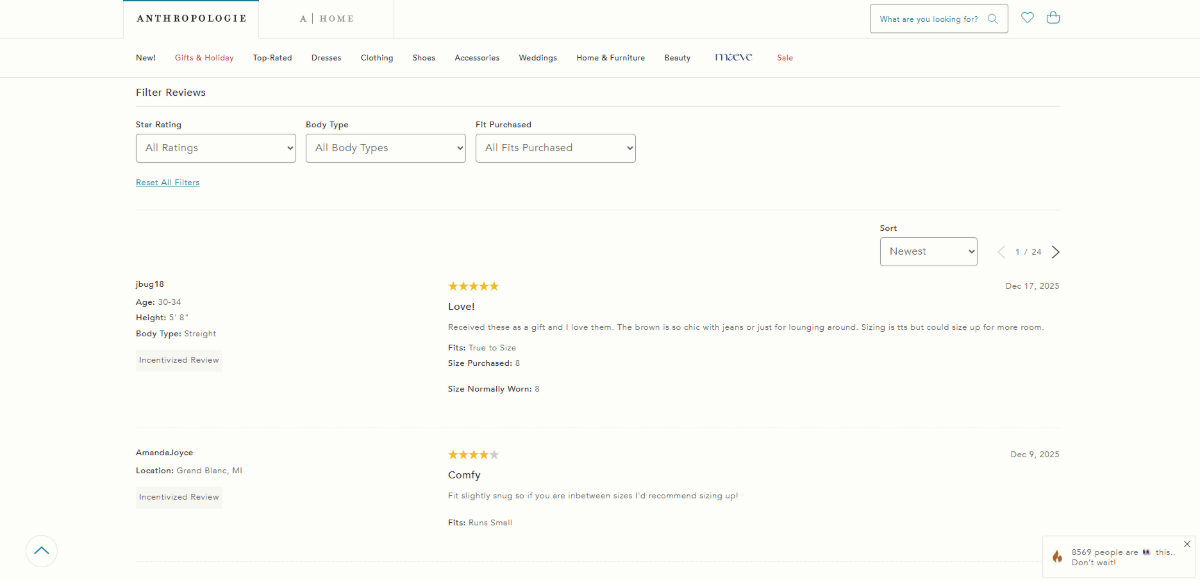
At the very bottom of the product page is the reviews section. Customers are able to see the product’s overall rating and product photos submitted by customers. They can also control which reviews they see by star rating, body type and fit purchased, and then sort them.
Unless you’ve built a very small ecommerce shop with a few items in the inventory, the most logical place to add reviews is to each product page for the corresponding product.
Now, for other kinds of websites and businesses, you probably don’t need to separate your reviews. They can all go in one designated spot and the story they tell will make complete sense to anyone reading them.
But, where is the best spot for them?
Some companies dedicate an entire webpage to them. This is a good option if you have more than 10 testimonials you want to highlight and/or they tend to be lengthy. We’ll see some examples of this later in the article.
Some companies choose only to feature a small collection of testimonials. These usually go on the homepage.
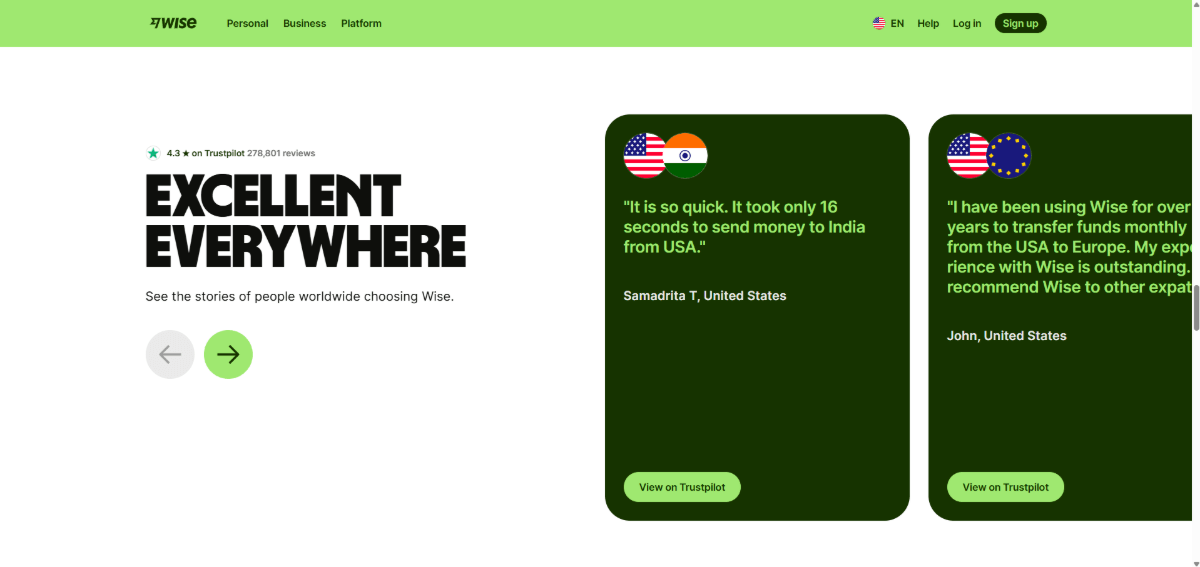
For example, Wise has a small carousel about halfway down the homepage:
This is a good option if:
- You’ve only collected a handful of testimonials so far
- You want to cherry-pick your best testimonials from the rest of your site and feature them on the homepage
- You want to highlight testimonials from an external source
Wise seems to have done the latter. These reviews come from Trustpilot. In addition to showcasing these positive reviews, prospects can click “View on Trustpilot” to explore more of them.
There are a couple of things to consider when putting testimonials on your homepage.
For starters, how far down do your visitors usually scroll? A heatmap tool will tell you what percentage of visitors make it to your testimonials section. If you’re losing the vast majority of people before they reach it, you may want to place it higher up on the page or give them their own dedicated page.
The other thing to think about is performance. On a landing page, you can lay testimonials out in a grid or feed. But on the homepage, they usually need to be in a space-saving container like a slider or carousel. With too many slides, images and content, this can create a lot of drag for the homepage.
2. Choose the Right Format
When laying out testimonials on landing pages, you could realistically use any format you want:
- Carousel or slider
- Single quote highlight
- Embedded video players
- Embedded social media
- Reviews feed
- Masonry grid
- Uniform grid
A grid is a good option if the bulk of your testimonials are written and if they have varying lengths. Here’s an example of a masonry grid on the Mayer & Newton website:
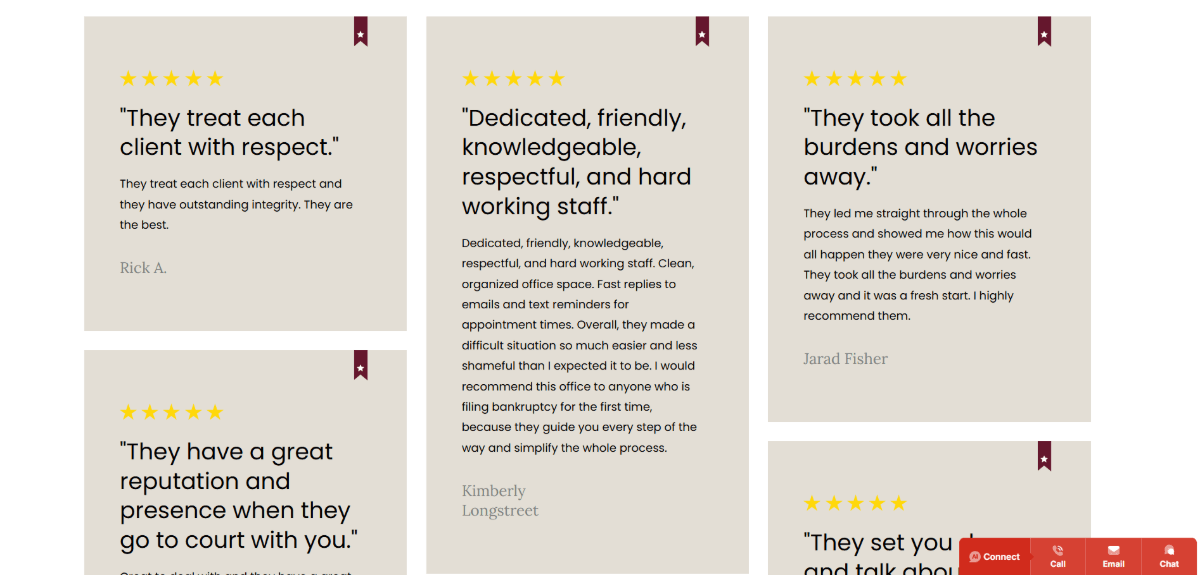
The grid keeps your landing page clean and organized, even as new testimonials flow in. Another option for a dedicated landing page would be a reviews feed, like the ones we see on ecommerce product pages where reviews flow in through a single column.
That said, other testimonial locations can limit what kinds of formats are available to you.
For instance, we’ve already seen one example of a homepage testimonial carousel/slider (Wise). Generally, on homepages, we want to keep testimonial sections short in terms of space and concise in terms of content. So, no lengthy testimonials or carousels containing 10 or more slides.
Another way to keep your homepage testimonials short and sweet is with embedded content from social media. Here’s how that looks on the Fontana Candle Company homepage:
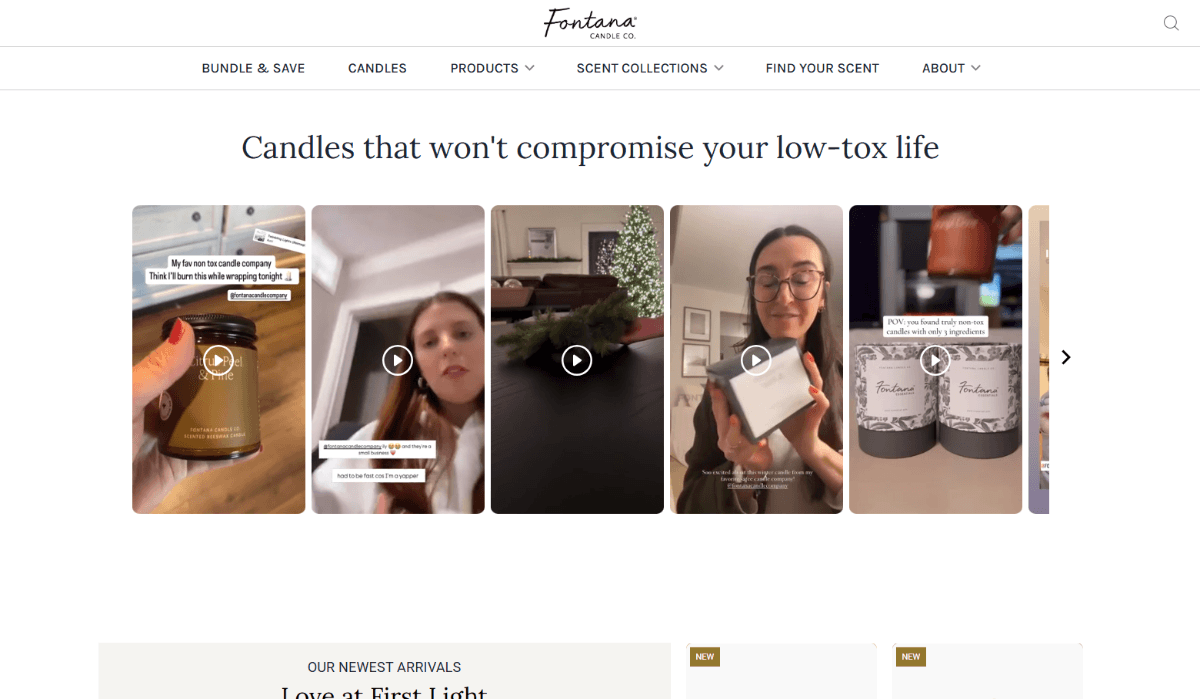
Here we see embedded videos of users (possibly paid influencers) discussing their recent Fontana purchases.
You can see how neatly these testimonial blocks fit into the page. They’re all the same size—likely shot on smartphones and saved to Instagram/TikTok in a landscape format. They don’t consume too much of the page length. And when someone clicks to watch them, they expand into a pop-out modal.
Videos and images make great companions to written testimonials. Again, just be mindful of how many you include when incorporating this content into the homepage.
3. Design for Aesthetics and Readability
When designing a testimonial section for the homepage, you want to make sure it stands out from the surrounding content. That way, if visitors do get scroll-happy and scan the page instead of reading every section, the design catches their attention and (hopefully) makes them stop.
Basecamp, which we’ll explore further in another tip below, has a scrolling banner on the homepage with review snippets:
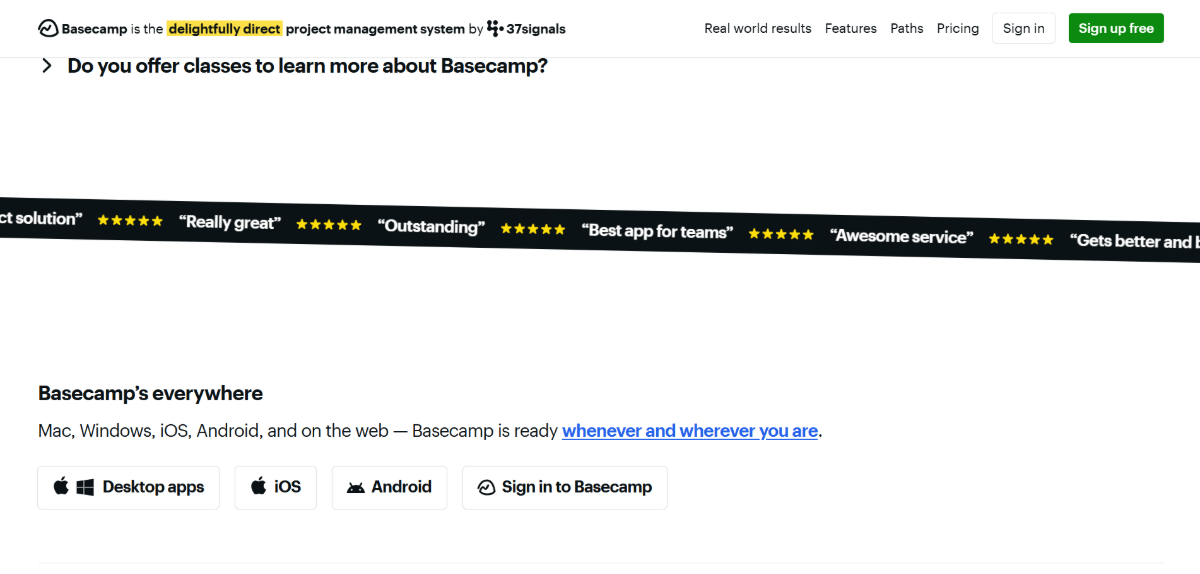
There’s a ton of content on this homepage. Without the black bar and scrolling motion, visitors would most likely miss this section.
Your homepage testimonials don’t need to be in perpetual motion to get noticed though. For instance, you can set a slider to auto-rotate after a certain amount of time passes. This is another way to use motion to capture attention.
For other kinds of testimonial content, designing the section to stand out is a good idea. Like using a background color that stands in stark contrast to the rest of the page. Or adding videos and imagery near sections where there aren’t any.
This needs to be a balancing act though. While you want prospects to find your testimonials, you don’t want it to be at the expense of usability or readability.
So even if you decide to go bold with the surrounding design, make more conservative layout, design and color choices within and directly around your testimonials. Also, don’t forget to include intuitive navigation controls that allow users to control their reading experience (when applicable).
When designing testimonial content blocks for your landing pages, focus more on making them readable than on making them eye-catching. If you’ve gotten them to this page, then that part of your job is done already anyway.
For example, this is the Reviews page for Real Thread:
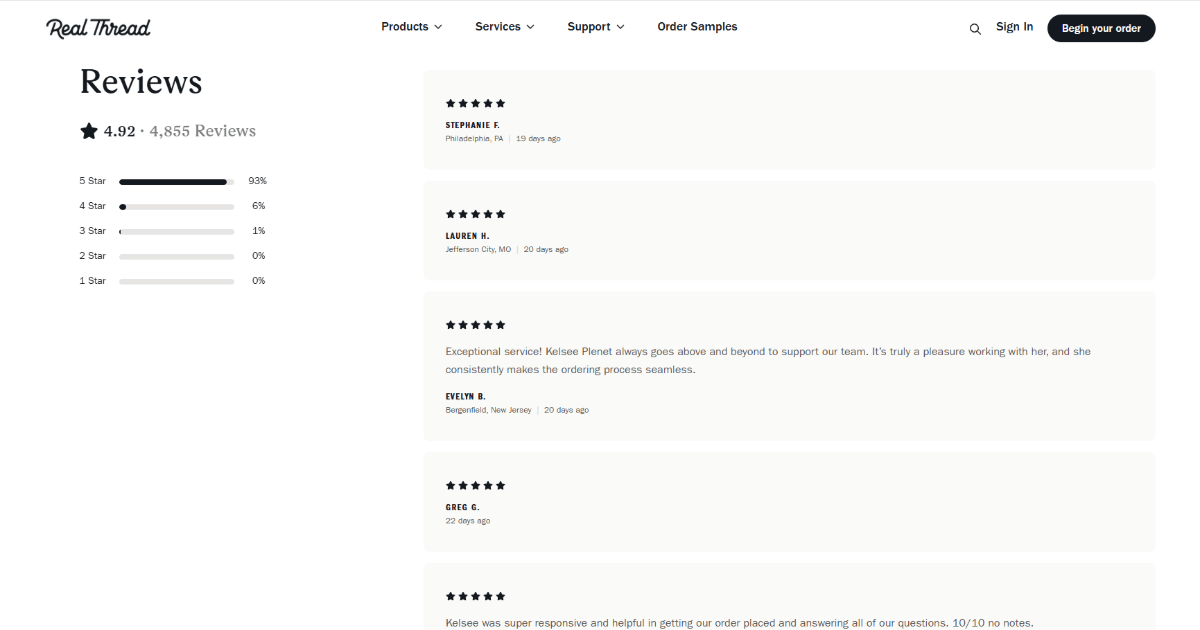
There’s nothing fancy about this page. The Reviews page is laid out as plainly as the reviews you’d find under ecommerce product pages. Plain, in this case, is good.
Just remember that all the other rules you use to design text throughout your site apply here. So, that means doing things like:
- Using a font size that’s easy for most visitors to read without issue
- Establishing hierarchy through styling, capitalization and font size
- Using space to organize content
- Adding a background color to each block for contrast with the surrounding website
- Verifying the block background color sufficiently contrasts with the text color
If in doubt, play it super safe to begin with. Then add bolder flourishes over time once you’re sure that visitors are getting the most from your reviews.
4. Pay Attention to Testimonial Length
Some customers keep it short and sweet. “They did a great job!” Others will go into tons of detail about what their experience was like. Some may even upload photos or videos to support their review.
All of these testimonials are valuable, but the variation in length and content can make them difficult to display neatly.
To start, if you have mixed-media reviews, keep them separate.
For example, Pink Realty has both video and written testimonials on the Testimonials page. The video testimonials sit at the top of the page in a scrollable gallery.
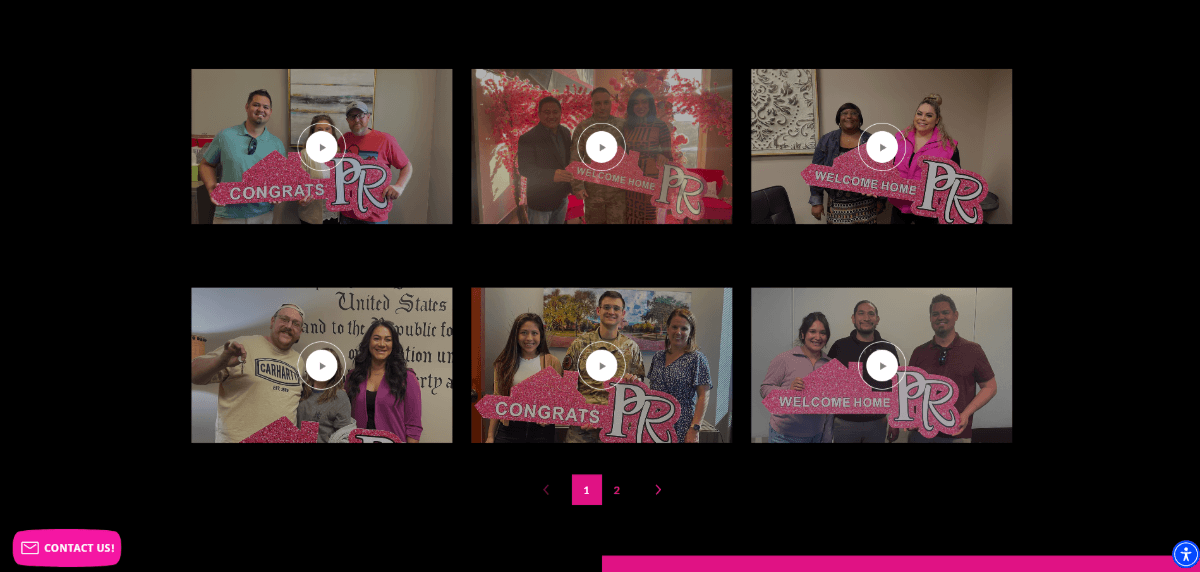
This section keeps all the video content in one place. It also allows Pink Realty to prioritize what may possibly be the best of their testimonials (as prospects can actually see and hear from real clients).
Below the videos are the written testimonials. Here’s what this section looks like:
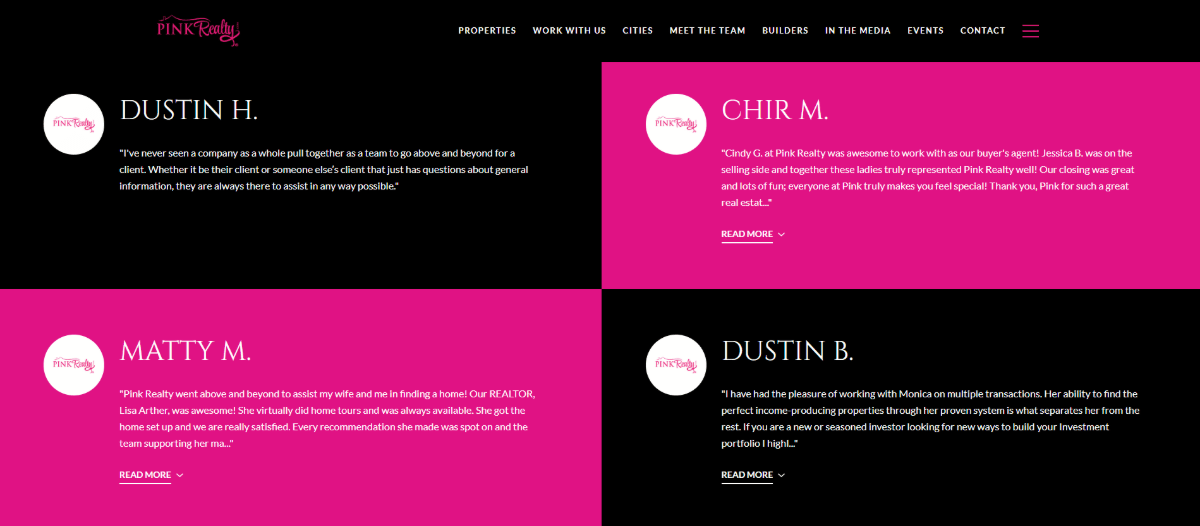
It’s near impossible to get customers to write the same amount of text unless you set word limits (which isn’t ideal).
A masonry grid is one way to allow for differing lengths of written testimonials. Another option is to do as Pink Realty has done and create uniform blocks for each testimonial. They’ve added a “Read More” link that allows visitors to expand longer quotes past the block’s limits.
This design choice makes the page aesthetically pleasing while also ensuring the quotes remain readable. This is also a good design choice for mobile. Oftentimes, what works on desktop for testimonials doesn’t translate well to mobile. Adding this automatic excerpt break/expansion makes this design very responsive.
5. Include Sufficient Details About the User
BrightLocal’s Local Consumer Review Survey 2025 asked respondents what kinds of things make them doubt the authenticity of a company’s reviews. Their answers included things like:
- Sounds like AI wrote it
- Feels part of a paid campaign
- Praise is over the top
- Reviews all sound the same
- Reviewers are anonymous
It’s this last one, in particular, that I want to focus on in this point.
While it’s great that the internet gives us anonymity when doing things like posting personal questions on Quora or Reddit, it can be problematic if people stay hidden when lavishing praise on a brand. It does make you question whether they are real reviews. Why not at least give their name so that prospects can see that they’re a real human?
If you’re going to move your brand away from platforms like Google or Yelp where users can be somewhat anonymous, then you should lean into being as transparent as possible with your reviews. How much detail you include about each reviewer will depend on how much you can realistically gather from them and what will be relevant to your target audience.
One way to go about adding details is by including the customers’ identifying information. For a B2B company like Basecamp, this means including the users’ full names as well as the companies they work for:
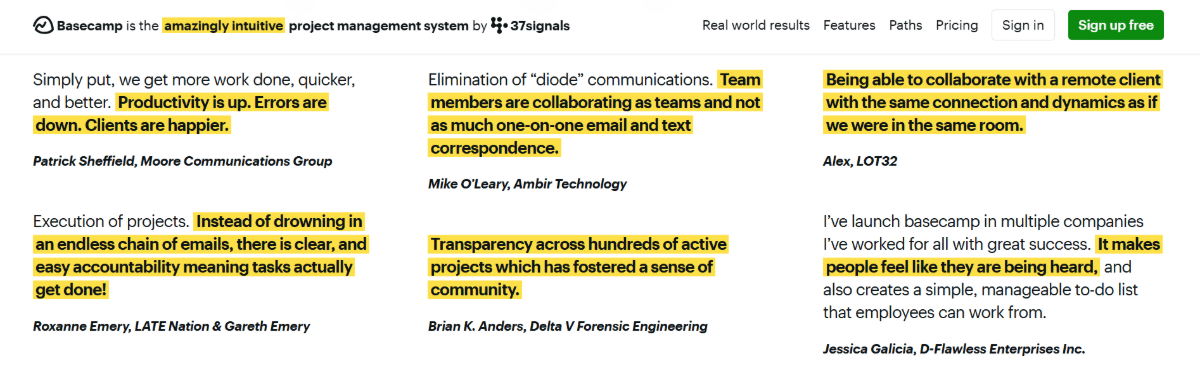
When you’re doing business with other businesses, there’s no better testament to the good job you’ve done than by showing who those companies are. In this case, we see names and businesses that can be easily verified by prospective users. This is a great way to gain their trust early on.
For other brands, simpler may be better in terms of personal details. However, you need to give prospects something in order to trust in the authenticity of what they’re reading.
For example, Drakewood Farm is a wedding venue. They could have created a Reviews page and placed a bunch of written quotes on there. Instead, they added this testimonial slider to the homepage:
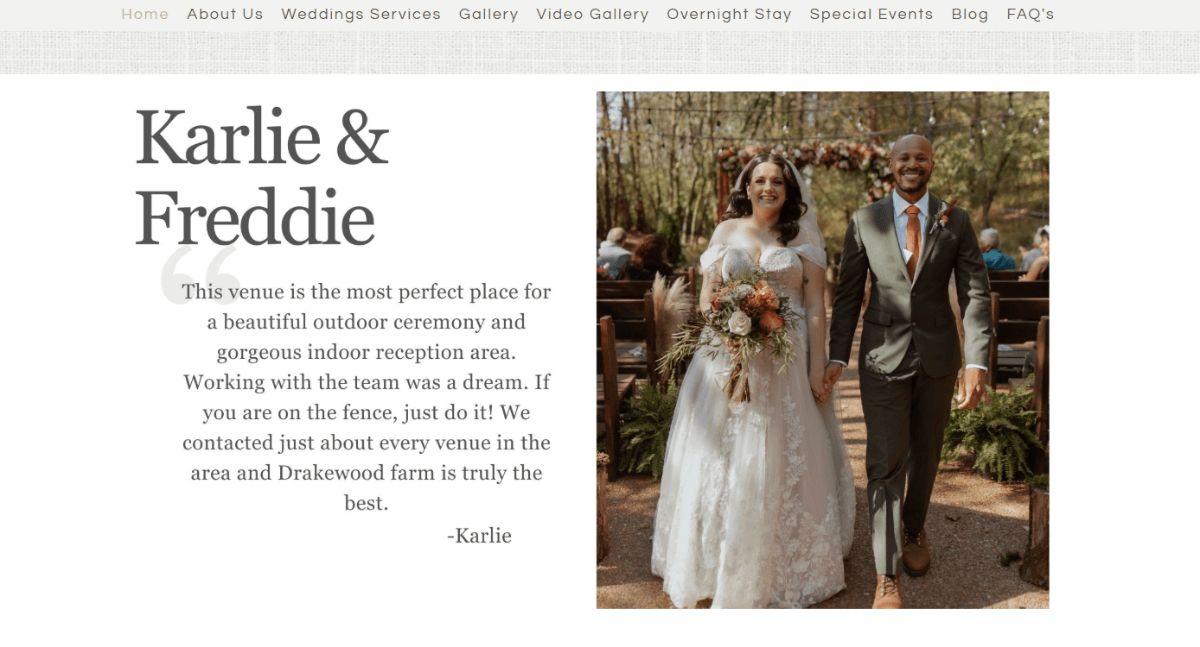
The slider includes the newlyweds’ names, their testimonial, the reviewer’s name and a picture of the couple at the venue. There’s no need to include the couple’s last names or other information about what they booked, where they’re located, etc. The first names and photo are more than enough.
When creating your testimonials section, you’ll need to decide what will appease prospects. In addition to including just enough detail about the reviewer, select testimonials that describe various aspects of the service or details of the product. This will give your testimonials section a diverse range of experiences and opinions for prospects to consider.
Wrapping Up
At the end of the day, the goal in marketing is to gain the trust of prospects and hold onto that trust for the lifetime of your relationship with them. One of the very first ways you can do that is by sharing the experiences of other customers on your website.
Through word-of-mouth marketing, you’re able to demonstrate what makes other customers satisfied with the services or products you provide. While it’s great that platforms like Google and Yelp give consumers a convenient space to leave their reviews, they can easily pile up.
By incorporating testimonials directly into your website, you take control over this narrative. A well-built testimonials section or page gives your brand the chance to tell a story through hand-selected customers’ words.
Enjoyed this article?
Add Progress as a preferred source to see more of our content in Google search.
Add Progress as a preferred source on Google
Suzanne Scacca
Freelance Writer & Consultant

