What’s New in Progress Automate MFT: November 2026

Progress Automate MFT can help with new file automations and extending existing MOVEit environments.
The latest updates to Progress Automate MFT help organizations bring more of the complex, fragmented and real-world processes the business relies on into centrally managed file workflows. IT operations leaders and data integration teams can use the new capabilities to strengthen authentication and auditability, simplify administration and bring their Progress MOVEit Automation workflows forward to what’s next.
Let’s take a look at what’s new.
Build More Workflow Logic in Automate MFT
Many file workflows require more than moving a file from one endpoint to another. They need timing, repetition, readiness checks, content processing and dynamic decisions.
The latest Automate MFT capabilities help administrators manage more of that logic within the workflow itself, including:
A repeat step, allowing a task step to run repeatedly until a configured exit condition is met. Instead of relying on multiple schedules or external retry logic, administrators can build repeat-until behavior directly into the task.
A sleep step, pausing task execution for a configurable time period to allow for finish processing. Combined with the repeat step, it allows administrators to build polling, retry and wait patterns without creating a custom PowerShell delay script.
Transfer rescans, helping reduce the risk of premature file processing by acting on files when they are ready, not simply when they first appear.
File content filters to find relevant content inside files and build content-aware file workflows.
New substring macros to design more specialized workflows.

Strengthen Security and Governance
Security for automated file workflows extends beyond encrypting a transfer. Organizations also need to control how endpoints authenticate, understand administrative activity and retrieve useful evidence when investigating a workflow.
The latest enhancements help teams govern connections, configurations and execution activity more effectively.
Automate MFT now supports TLS client certificate authentication for Progress MOVEit Transfer endpoints. This helps organizations incorporate certificate-based trust into automated MOVEit Transfer connections.
Customers connecting to Amazon S3 endpoints can optionally associate a role ARN with the existing static-key authentication method.
New and improved audit and execution evidence, including before-and-after visibility for supported configuration changes. This helps administrators understand what changed across credentials, tasks, agents, endpoints, schedules and other important configurations.

Bring MOVEit Automation Tasks Forward
Established file workflows often contain years of business logic, schedules, endpoint configuration and partner requirements. Rebuilding every task manually can increase the effort and risk involved in modernization.
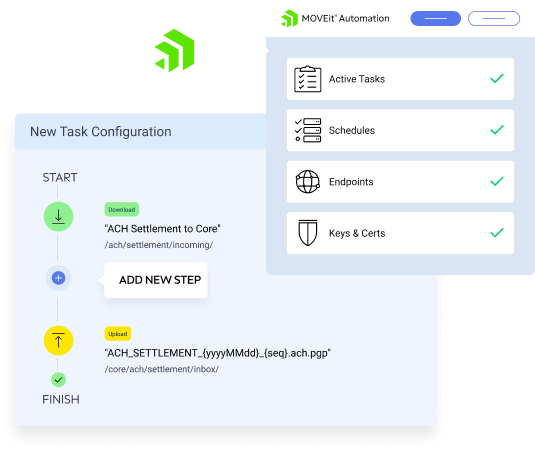
The Automate MFT migration tool provides a guided process for importing supported task configuration from MOVEit Automation.
A Flexible Path Forward for File Automation
Whether you are starting a new file automation initiative or extending an existing MOVEit environment, Automate MFT provides a practical path forward. Organizations can start with a priority workflow, such as SFTP automation, and expand as requirements grow.
Ready to explore what’s included in this release and how it fits your use cases? Visit our What’s New in Progress Automate MFT page to see the highlights and get started.
Current MOVEit Automation customers can also contact Progress to discuss a migration-readiness assessment and identify supported workflows that may be appropriate for an initial Automate MFT migration.
Enjoyed this article?
Add Progress as a preferred source to see more of our content in Google search.
Add Progress as a preferred source on Google