Visual Studio Integration Tip - Control Designers

by
Tim Williamson
Posted on
December 03, 2013
The content you're reading is getting on in years.
This post is on the older side and its content may be out of date.
Be sure to visit our blogs homepage for our latest news, updates and information.
It’s no surprise that people are more likely to use something when it looks nice and is easy to navigate. Sitefinity Thunder makes it simple to transform cryptic and confusing widgets into ones that users will actually enjoy well...using. First, let’s take a quick look at the “cryptic and confusing” way.
Just by registering widgets in the Sitefinity toolbox, they get set up with this not so pretty, but functional property editor.
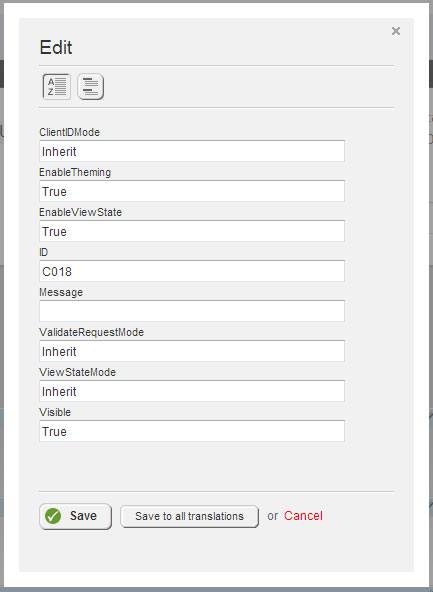
These allow users to modify all the public properties that a widget exposes. In this example, the user needs to access only one of the properties…”Message”. The rest are just potential areas for confusion and should be hidden. That’s where control designers come in.
Control designers let users modify widget properties that will be useful to them in a friendly, clutter free interface.
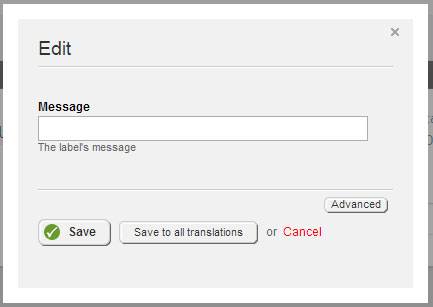
All the other properties are still available in the “Advanced” view though so more advanced users still have access to them.
Sitefinity Thunder comes with a wizard to help you create control designers for your existing widgets.
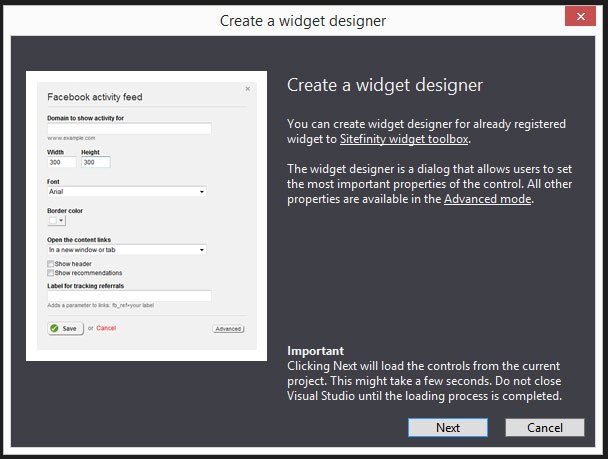
All you have to do is select the properties you want your users to have immediate access to and Thunder takes care of the rest!
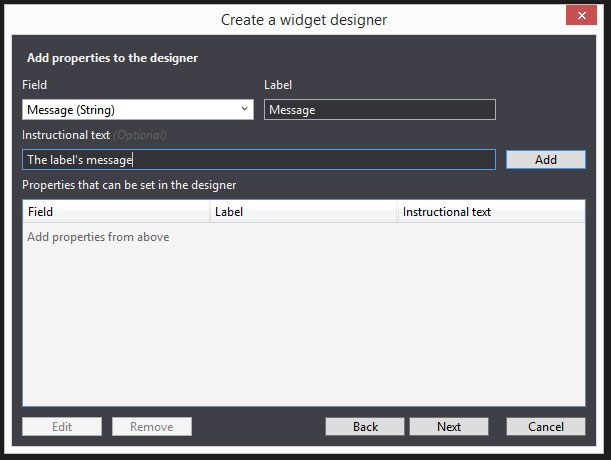
Integrating Sitefinity and Visual Studio with Thunder makes it possible to quickly generate code for control designers. These give your custom widgets that “native” look and feel which means happier users…and dare I say, repeat business. Pretty cool for a free tool, right?
Property editors
Just by registering widgets in the Sitefinity toolbox, they get set up with this not so pretty, but functional property editor.
These allow users to modify all the public properties that a widget exposes. In this example, the user needs to access only one of the properties…”Message”. The rest are just potential areas for confusion and should be hidden. That’s where control designers come in.
Control designers
Control designers let users modify widget properties that will be useful to them in a friendly, clutter free interface.
All the other properties are still available in the “Advanced” view though so more advanced users still have access to them.
How Sitefinity Thunder Helps
Sitefinity Thunder comes with a wizard to help you create control designers for your existing widgets.
All you have to do is select the properties you want your users to have immediate access to and Thunder takes care of the rest!
Integrating Sitefinity and Visual Studio with Thunder makes it possible to quickly generate code for control designers. These give your custom widgets that “native” look and feel which means happier users…and dare I say, repeat business. Pretty cool for a free tool, right?
Tim Williamson
View all posts from Tim Williamson on the Progress blog. Connect with us about all things application development and deployment, data integration and digital business.
More from the author
Related Tags
Related Articles
Should Designers and Developers Feel Threatened by the Rise of GPT-3?
Everyone is talking about ChatGPT this year. But is it worth all the hype? What’s more, is it something to worry about if you’re a web designer? In this post, we’re going to break down what GPT-3 is, how AI generators work and what you can do (if anything) to put them to use in your work.

