Enable RTL Support in Rollbase for Templates and Reports

Now that Progress Rollbase has RTL support, you can develop without language limitations. Learn how to enable this in your templates and reports.
An application meant for a global audience must support multiple languages and character sets. While many languages are read by scanning letters from left to right, some, such as Arabic and Hebrew, are written and read from right to left (RTL). With the 4.3 release, Rollbase provides official support for RTL rendering.
In general, RTL rendering for the Rollbase UI is taken care of based on the user’s base language. As templates and reports are user specific, enabling RTL requires making minor changes to override the default LTR rendering. Read on to see the ease with which RTL rendering can be achieved in templates and reports in Rollbase applications.
Templates in Rollbase
Rollbase templates are text and binary documents that include tokens. At runtime, Rollbase replaces the tokens with record data. See the documentation for more information on templates.
Rollbase supports document and mail templates. The following sections describe how to achieve RTL rendering in each.
Document Templates
Rollbase supports various formats for document templates. HTML templates need changes with respect to the code, and others are pretty straightforward. Let’s discuss each in detail:
HTML: By default, Rollbase renders text left to right. You can edit the template to override the default behavior. You can apply RTL rendering the whole document, to individual elements and within an element for a portion of the text. The dir attribute works in HTML elements. The bi-directional isolation (bdi) tag works within elements for a portion of the text.
Possible values for dir are:
- rtl—Enables the text to be rendered right to left.
- ltr—Enables the text to be rendered left to right.
- auto—Renders the text based on the language. If the language is English, text is rendered from left to right. If the language is Hebrew or Arabic text is rendered from right to left.
For more on the dir attribute, see this w3 org article. For more on the bdi tag, you can read more at w3schools.
You have to edit the templates to add these attributes and as required. For example, add the following to an HTML element, such as a section or paragraph, to enable right to left rendering:
dir=”rtl”
To render the full document RTL, add the attribute to the html tag as shown below:
<html dir=”rtl” >
Example Code Snippet: Sample template using the Arabic language
<html dir="rtl"> <body> <div> <table> <tr><td>صباح الخير</td></tr> <tr><td> {!name#text} </td></tr> <tr><td>أتمنى لك نهارا سعيد</td></tr> </table> </div> </body></html>
Example Code Snippet: Sample template using the English language
Note that we did not use the “dir” attribute here because LTR rendering is the default.
<html> <body> <div> <table> <tr><td>Good Morning!</td></tr> <tr><td> {!name#text} </td></tr> <tr><td>Have a nice day</td></tr> </table> </div> </body></html>
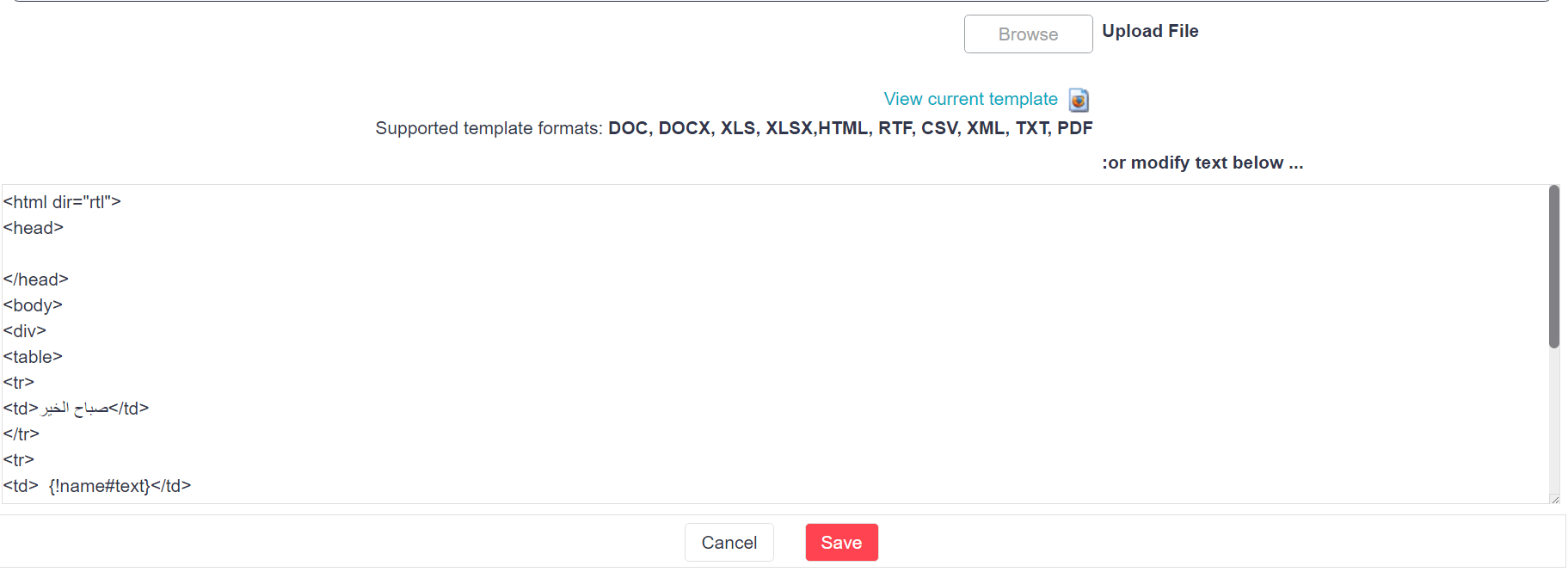
The <bdi> tag isolates a part of text that might be formatted in a different direction from other text outside it.
This tag is helpful when the user generated content is involved with unknown directionality. For example, user generated content can be in any language and it would be inappropriate to render a fixed direction in such cases.
Example Code Snippet:
<div> <p><bdi>{!name#text} </bdi></p></div>- DOC/DOCX—In Microsoft Word document templates, you can use the rich text editor to keep headings and other titles right aligned; the default alignment is left
- XLS/XLSX/RTF/TXT/XML—Similarly, for other formats, you can align the text as required for the language
Mail Templates
Mail templates provide a convenient way to generate the title, body, and attachments for template-based emails from within Rollbase. To use RTL mode in mail templates, follow these steps:
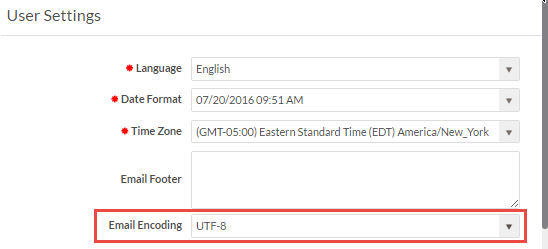
- Set Email Encoding to UTF-8: The default email encoding for any new user/tenant created in Rollbase is now set to UTF-8. For any user whose encoding is anything else, change this by using the configurable feature on the settings page Setup Home > My Settings. The following screen shows where to set Email Encoding:
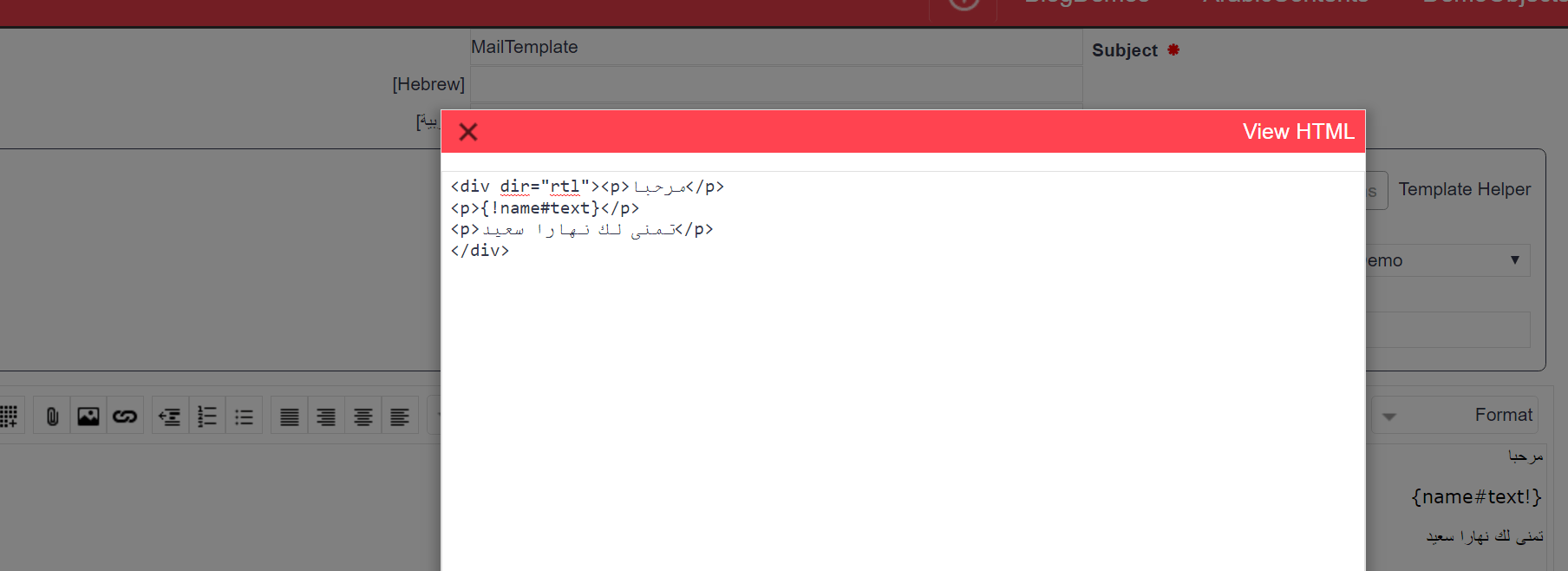
- Creating Mail Templates: On the New Email Template page, select HTML as the format. Use the dir attribute to configure the text direction as described in the previous section. For example, from the rich text editor, select View HTML and make changes as shown below:
Example Code Snippet:<divdir="rtl"><p>مرحبا</p><p>{!name#text} </p><p>تمنى لك نهارا سعيد</p></div>For details, see the image below:
Reports
Rollbase includes the following types of reports:
- Tabular: Each row represents a data record and each column represents a field. No additional configuration is needed to render tabular reports in RTL mode. Based on the language settings of the user, it is rendered accordingly.
- Document Template: Creating reports based on document templates requires using the dir attribute and/or the bdi tag as discussed above.
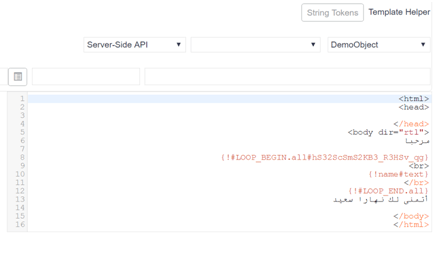
- HTML: Creating HTML reports requires using the dir attribute to set rendering as described above. HTML reports can be rendered as PDF by end users. To achieve RTL rendering of content in PDFs, use the dir attribute in the body tag of the base HTML as shown below.
Example Code Snippet:<htmldir=”rtl”><head></head><bodydir="rtl">مرحب{!#LOOP_BEGIN.all#hS32ScSmS2KB3_R3HSv_qg}</br>{!name#text}</br>{!#LOOP_END.all}أتمنى لك نهارا سعيد</body></html>
For more details, refer to the screen below:
- JavaScript: For this type of report, custom JavaScript code loops over a list of records, performs calculations and analysis, and displays results in custom HTML. No additional configuration is needed for the rendering of JavaScript reports right to left. The language used in the report determines the rendering direction.
- Custom: For custom reports, you can define your own styling. Custom reports can be divided into two cases as described below:
- The entire report that must be rendered in RTL
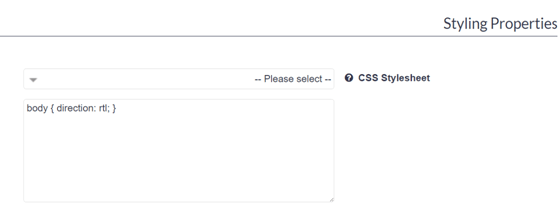
For this use case, you can either select a stylesheet from the CSS Stylesheet dropdown or you can specify that the body uses the direction attribute with a value of rtl as shown below:
body {direction: rtl;}Refer to the screen below for more details:
- A report that contains some sections in RTL
You can edit selected sections of the report and add the styling accordingly.
<div class='rbs-cr-htmlSection' style='direction:rtl'> مرحبا </div>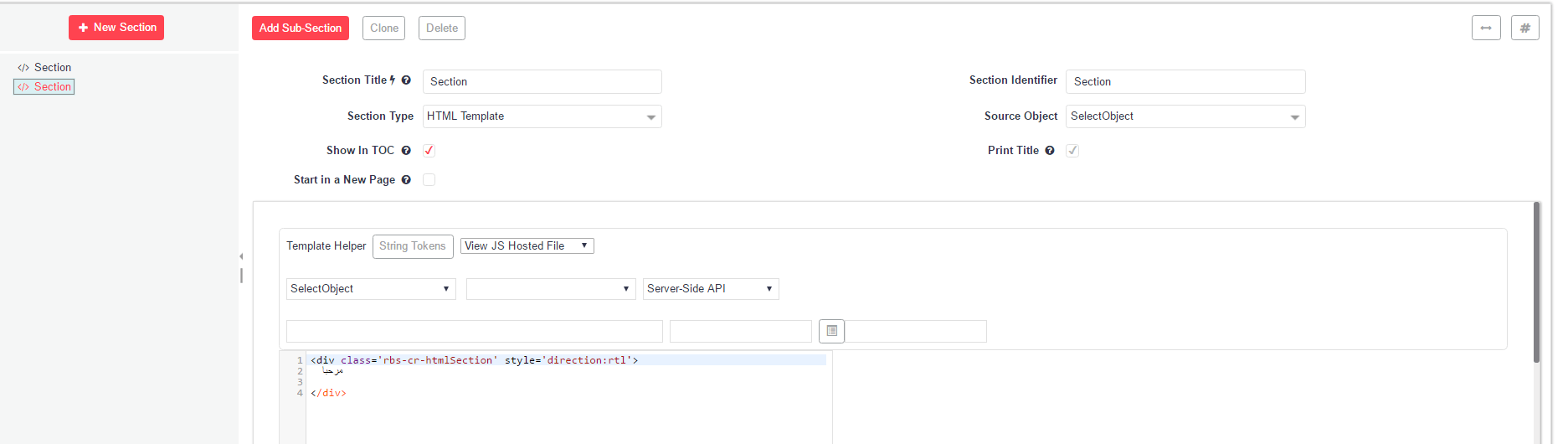
Develop without Language Limitations
Rollbase RTL support removes the language limitations and offers freedom and flexibility to application developers who can customize templates and reports. This enables developers to improve the user experience for a wider range of customers and to support a truly global audience.
Enjoyed this article?
Add Progress as a preferred source to see more of our content in Google search.
Add Progress as a preferred source on Google