Creating Self-installing Widgets and Modules in Sitefinity

The content you're reading is getting on in years.
This post is on the older side and its content may be out of date.
Be sure to visit our blogs homepage for our latest news, updates and information.
As developers, we want to simplify our life with elegant solutions that save time and solve problems. We identify steps that can be described with a process and we try to automate those.
The Motivation
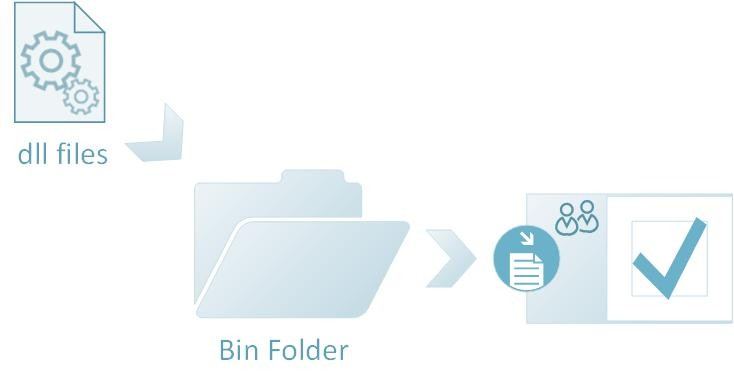
The installation of Sitefinity widgets and modules is a task that can be encapsulated into a simple process which just begs to be automated. I had discussions with various Sitefinity developers and they all embraced the idea of self-installing widgets and modules. One of the many benefits is that if you have many web sites and environments, you would like to distribute all your widgets and modules into reusable dll’s and instead of manually registering each widget on every single Sitefinity instance, you can merely paste them into the bin folders and that would be it:
The Solution
Thus, I decided to share the approach that really makes Sitefinity developers’ life easier. The approach relies on the powerful API of Sitefinity to programmatically install any widget or module.
We are also going to use the ASP.NET PreApplicationStartMethodAttribute class and you are going to be chums with it. This attribute allows you to have code that runs early in the ASP.NET chain of events. It can be triggered from external class library and it runs even before the Application_Start event.
The Instructions
We will use a PreApplicationStartMethodAttribute on a method that will hook up an event handler for the Bootstrapper.Initialized event, so that each time the Sitefinity application loads, we will have an opportunity to intercept, check to see our components are installed, and do register them if needed.
public class Installer { /// <summary> /// This is the actual method that is called by ASP.NET even before application start. Sweet! /// </summary> public static void PreApplicationStart() { // With this method we subscribe for the Sitefinity Bootstrapper_Initialized event, which is fired after initialization of the Sitefinity application Bootstrapper.Initialized += (new EventHandler<ExecutedEventArgs>(Installer.Bootstrapper_Initialized)); }..................}To mark this PreApplicationStart method with the PreApplicationStartMethodAttribute, we need to open the AssemblyInfo and add the attribute there.
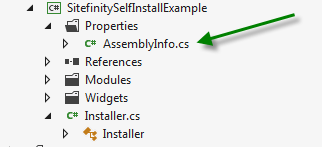
The attribute needs two parameters – the type of the class which holds the method and a string with the method name. Below is the line of code, you need to paste into the AssemblyInfo.cs
[assembly: PreApplicationStartMethod(typeof(Installer), "PreApplicationStart")]With that steps done, now you have a method that will be executed each time the application starts and you will have the power to automate any widget and module registration task. With the API of Sitefinity this is literally a few lines of code.
To help you with the latter, I am also attaching a code example that shows how you can register widgets in the toolbox, installing modules and creating virtual folders with the configuration API of Sitefinity.
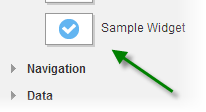
By running the sample, you should be able to have the SampleWidget, the SampleModule and the Sample virtual path. (Download link here)
Try it, see how it works and last, but not least happy coding!
P.S. Please share your feedback. You can also follow me on Twitter @PeterTenev
Enjoyed this article?
Add Progress as a preferred source to see more of our content in Google search.
Add Progress as a preferred source on Google