A Developer’s Look at Content Lifecycle

The content you're reading is getting on in years.
This post is on the older side and its content may be out of date.
Be sure to visit our blogs homepage for our latest news, updates and information.
When working with the content modules in Sitefinity, we can either directly publish items that we create, or save them as drafts. Those operations create some different versions of the same content behind the scenes, and use a concept that we call content lifecycle. In this blog post we are going to use the API to perform these operations and compare it with doing the same through the user interface.
What is Content Lifecycle?
Content lifecycle governs whether an item is visible in the frontend, and whether it is being edited. There are three lifecycle states of an item – master, temp and live. When persisting items in the database, Sitefinity creates one row for each state. You can think of lifecycle states as separate versions of an item. An important characteristic of lifecycle is that an item can be in more than one state at a time (can have several versions). The meaning of each state (item version) is defined in the following table:
| Master | The default state of an item. Items are always created in Master state first (they always have a master version). Master versions are not visible in the frontend. |
| Live | An item, which is visible in the frontend. Once an item is published through the UI, Sitefinity creates a live version by copying the item from the master version (the master version still stays) |
| Temp | An item that is being edited by a CMS user. When you open the edit screen, a temp version for the item is created by copying the Master version.
|
Lifecycle State Transitions

The diagram shows how an item moves between the different lifecycle states. The circles represent states, and the arrows represent operations on the item. Each operation triggered by the user interface or API moves an item between states. As we mentioned, those states are actually different versions of an item. To illustrate this, let’s take a look at the state of the database and user interface after each operation. We will use the News module as an example
- Create a news item
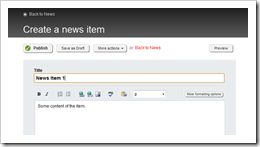
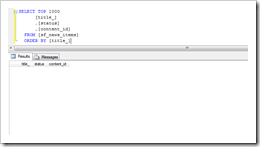
When we click the create button, the screen for creating an item appears, but there’s nothing persisted yet. The table in the database is empty.
The code we can use to perform the same operation using the API is the following: - Save the item as draft
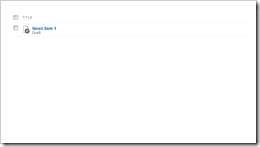
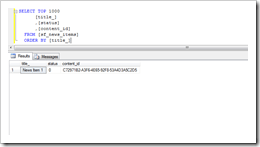
If we click the “Save as Draft” button, the item is persisted in the database. Its state in the UI is “draft” and there is one record in the database, with a status of 0, which means Master
Since we are not actually publishing the item, we only need to call the SaveChanges() method of the manager to persist the draft in the database: - Publish the item
Next we publish the item we have created. This marks it as “published” in the UI and creates another entry in the database table, to represent the Live version of the item. The value 2 in the status column corresponds to the Live state.
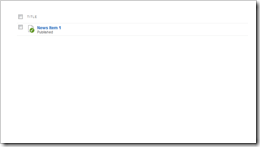
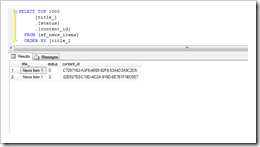
If we want to actually make the item visible in the frontend and create a Live version, we need to explicityly publish the item through the API: - Edit the item
If we decide we need to make more ch anges to the same news item, we can edit it. For other people who are looking at the list of items, it will appear locked. At the same time, there is one more entry in the database representing the Temp version of the item with status 1.
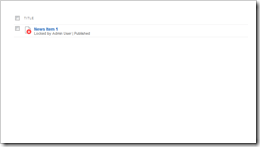
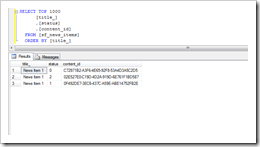
When we want to edit an item that has already been created using the API, we need to explicitly get its Master version. To create a Temp version from it, we call the CheckOut() method of the Lifecycle decorator, and once we’ve made the changes, call CheckIn() to copy the Temp version to the Master again - Publish the item again
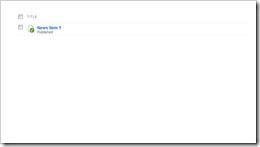
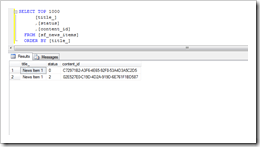
Publishing the item again goes back to the state from step 3, but now the item’s content has been updated. The UI shows the item as “published” again and the Temp version is not in the database any more.
Publishing the item once again is just a matter of calling the publish method of the Lifecycle decorator, and saving the changes.


We’ve gone through the above steps by explicitly saving the item as draft to illustrate the lifecycle. We can also directly publish the item through the UI, and Sitefinity will perform the two operations together in the same order. There will be no difference in the state transitions between those two cases.
Understanding the concept of content lifecycle is important when working with items through the API. All the code samples in the Developers Guide take it into account. We also have a section which explains how to work with different item versions. Some item operations, however (like scheduling) cannot be performed through the lifecycle alone. They fall into the realm of workflow, which we’ll take a look at in another blog post.