Right-to-left Writing Format for Sitefinity's Backend

by
Vassil Vassilev
Posted on
November 27, 2013
The content you're reading is getting on in years.
This post is on the older side and its content may be out of date.
Be sure to visit our blogs homepage for our latest news, updates and information.
Sitefinity does not contain an out-of-the box right-to-left writing theme. This short blog post illustrates how to modify your built-in theme to match your desired writing style.
First, we need to download the already modified Sitefinity Theme with right-to-left writing style. Actually the only modified line is in “/CSS/Layout.css”:
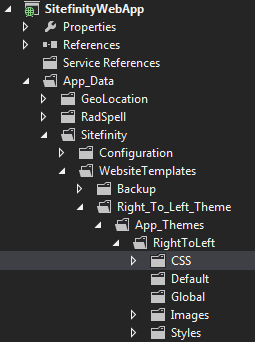
Now we need to place our theme files in the project folder:
Then we have to register the theme in Sitefinity:
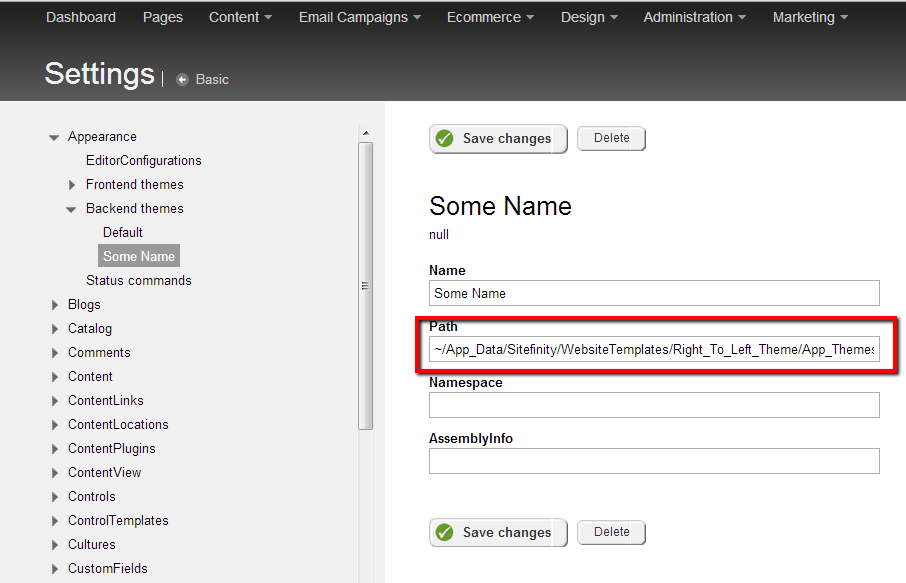
In my case I have placed the theme in: MyProjectName/App_Data/Sitefinity/WebsiteTemplates/Right_To_Left_Theme/App_Themes/RightToLeft
So the correct path is: ~/App_Data/Sitefinity/WebsiteTemplates/Right_To_Left_Theme/App_Themes/RightToLeft
After having the theme registered, we have to make our backend template use it:
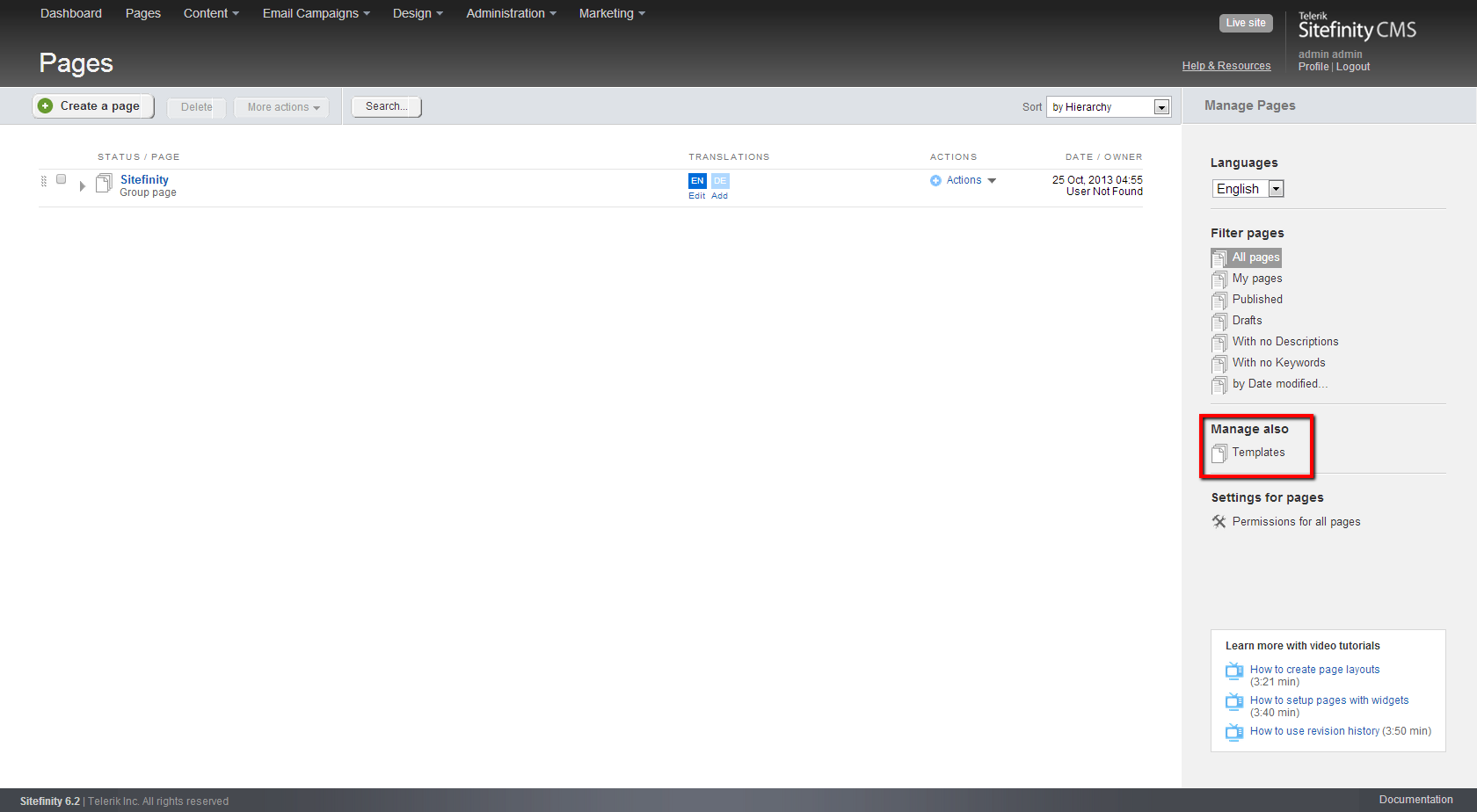
Go to Administration > Backend Pages > Templates and select the template you want to change:
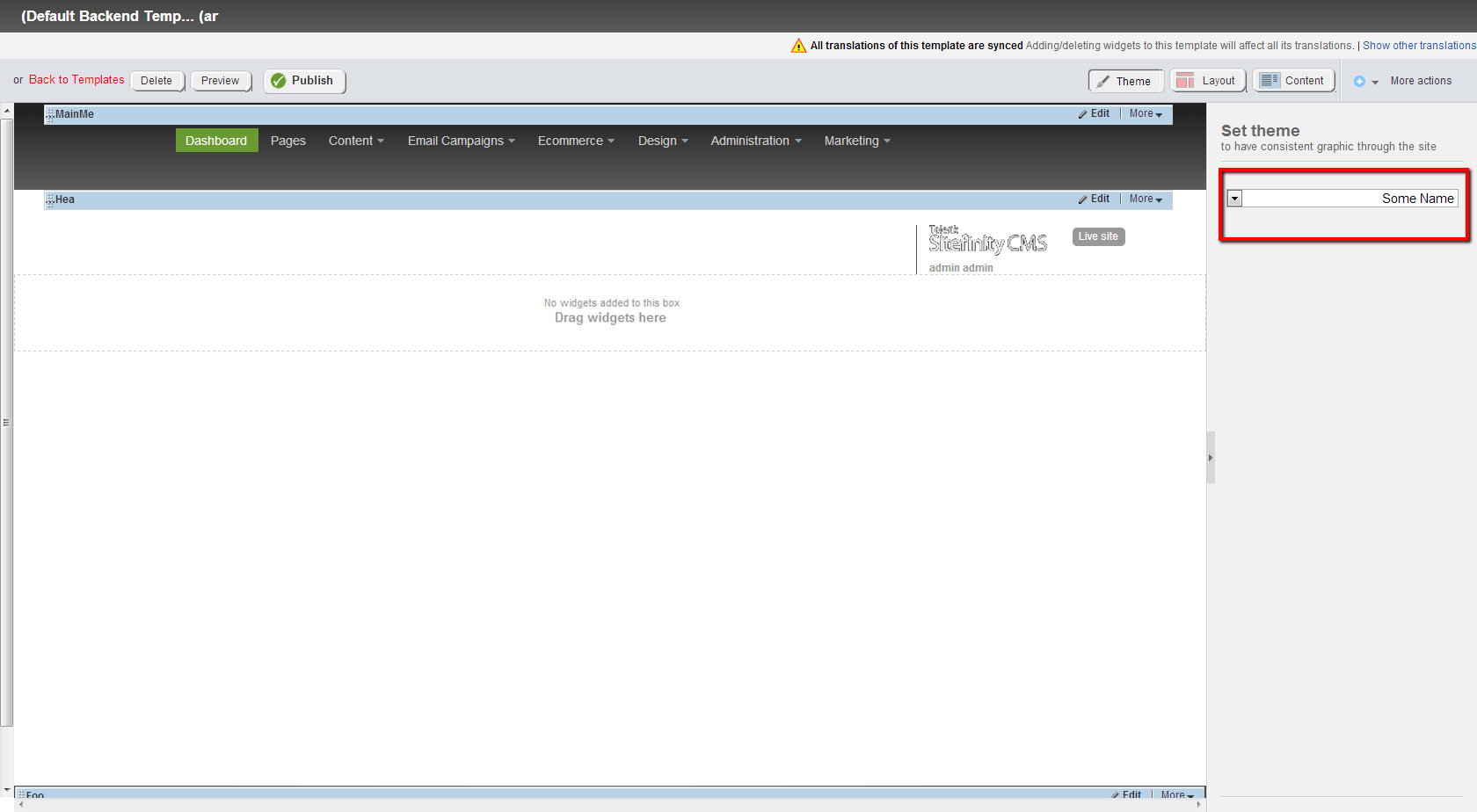
All set! The change should take effect immediately.
Here you can download the modified theme: RightToLeft
First, we need to download the already modified Sitefinity Theme with right-to-left writing style. Actually the only modified line is in “/CSS/Layout.css”:
body {min-width: 1250px;font-family: Arial,Verdana,Sans-serif;font-size: 12px;line-height: 1.5;direction: rtl !important;}Now we need to place our theme files in the project folder:
Then we have to register the theme in Sitefinity:
In my case I have placed the theme in: MyProjectName/App_Data/Sitefinity/WebsiteTemplates/Right_To_Left_Theme/App_Themes/RightToLeft
So the correct path is: ~/App_Data/Sitefinity/WebsiteTemplates/Right_To_Left_Theme/App_Themes/RightToLeft
After having the theme registered, we have to make our backend template use it:
Go to Administration > Backend Pages > Templates and select the template you want to change:
All set! The change should take effect immediately.
Here you can download the modified theme: RightToLeft
Vassil Vassilev
View all posts from Vassil Vassilev on the Progress blog. Connect with us about all things application development and deployment, data integration and digital business.
More from the author

