Workflow Automation: Trigger on Task Completion
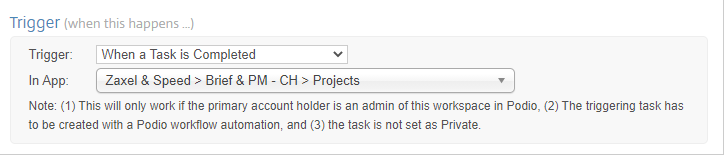
To trigger a Workflow Automation flow when a Podio Task has been completed, select Trigger by Task Completion when creating a new flow. Must be used in conjunction with a Task created by another flow in the App.
Select any Actions required to complete once the task has been completed. For example, create a comment to show that a task has been completed.

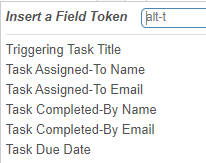
Task field tokens are available for use in this flow type:
-
Triggering Task Title - Title field from Task that triggered flow
-
Task Assigned-To Name & Email - Person whom Task was assigned to
-
Task Completed-By Name & Email - Person whom Task was completed by
-
Task Due Date - Due date from Task item