Workflow Automation: Get Item Task(s)
Use Get Item Task(s) to collect the all OPEN tasks on the item.
Select the Flow Trigger and add any required Filters
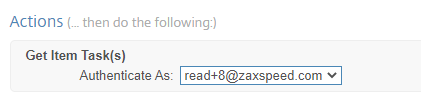
Add the Get Item Task(s) action. Select a Podio Admin to authenticate as.
Add an Action to your Flow, for example:
- Complete Item's Open Tasks
- Create New Tasks if an Update is required and Delete Item Tasks for anything not relevant
- Even perform For Each loops and Calculations to build a Custom Table to sending in a PDF or Email.
TOKENS AVAILABLE
Item Open Task(s) Summary:
Provides a Summary of ALL Open Tasks in the format TitleDate
Item Open Task(s) Title:
Provides the Title field from ALL Open Tasks
Item Open Task(s) Due:
Provides the Due Date from ALL Open Tasks
Item Open Task(s) Assigned To:
Provides the Contact Assigned To from ALL Open Tasks
Item Open Task(s) Full Details:
Provides the Full Details from ALL Open Tasks
EXAMPLE
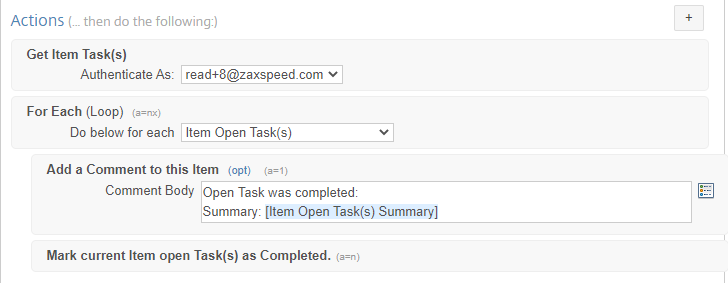
When the Status of a Work Order is Archived, Get ALL Items Open Tasks and Complete them, showing a comment of the completed Summary. This will ensure that any tasks that were not marked as completed are closed and removed from the Assignee's list.