Workflow Automation: Filter: Email Subject Match
In Workflow Automation, use the Email Subject Match filter in any Email Reply type flow to trigger a flow on a specific word or phrase in the subject line.
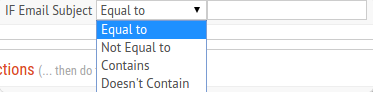
Set the filter so that the Triggering Email Subject is "Equal To", "Not Equal To", "Contains" or "Doesn't Contain"
For example, when you want to trigger a Category Field update on a campaign tag called "Probate" in the subject line of a received email in Podio. Note - this field is not case-sensitive
