SMTP to OAuth Migration
Google's recent policy update requires users who authenticate with CalDAV, CardDAV, IMAP, SMTP, or POP to migrate to OAuth for better security. This article explains how to migrate.
Why the transition?
Previously, users only had the option to configure SMTP-based authentication for sending emails. According to Google's policy, SMTP-based authentication is considered insecure and unreliable. Consequently, Google has advised all third-party apps to provide a more secure OAuth-based authorization option.
What you need to do
Google domain customers who currently use SMTP authentication should migrate to OAuth before September 30. After this date, access for SMTP-based configurations will be blocked automatically.
Only an organization admin can configure OAuth settings for your organization.
How to migrate to OAuth
To configure OAuth settings, follow these steps:
-
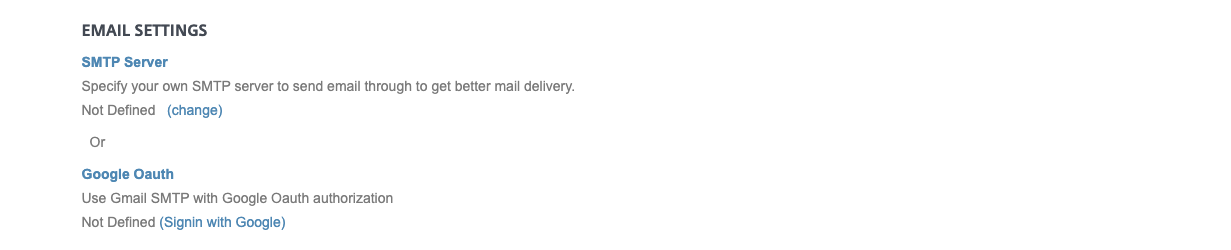
Click Sign-in with Google. If you have already configured SMTP for your Google domain, remove that configuration first. For a new setup, select OAuth Authorisation. If SMTP is already configured, select OAuth > Complete the Authorisation request.
-
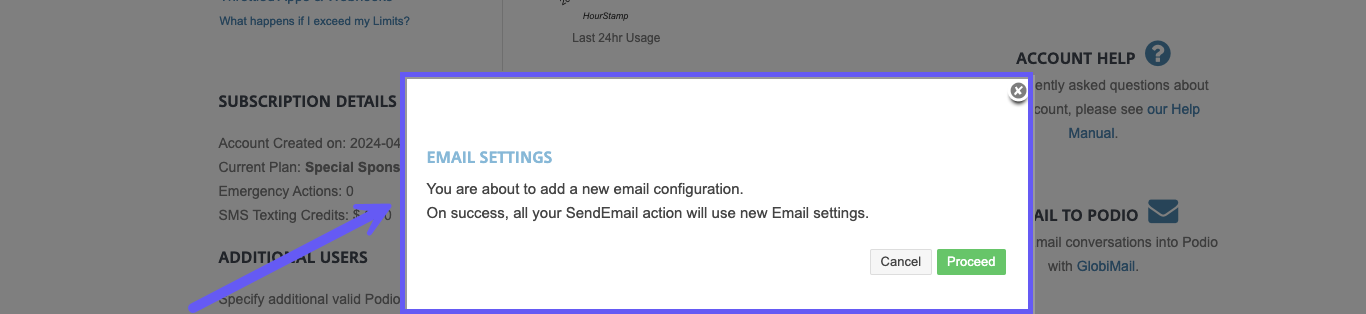
After you click Sign-in with Google, you will receive a confirmation email to verify the configuration.
-
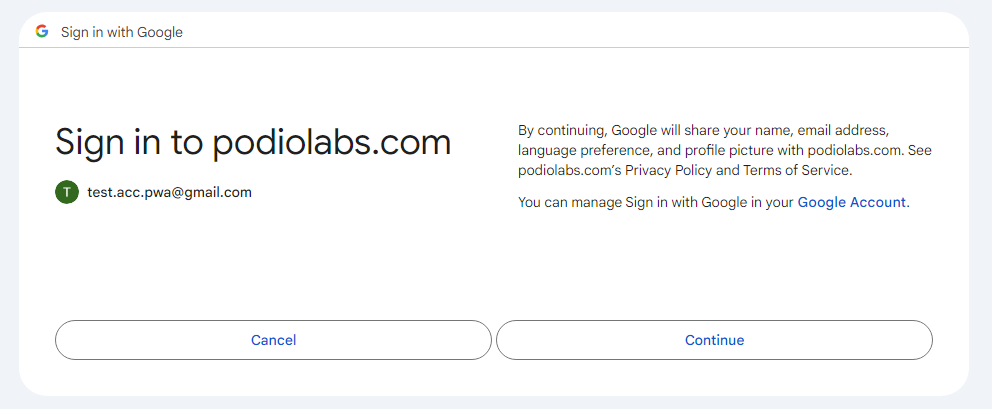
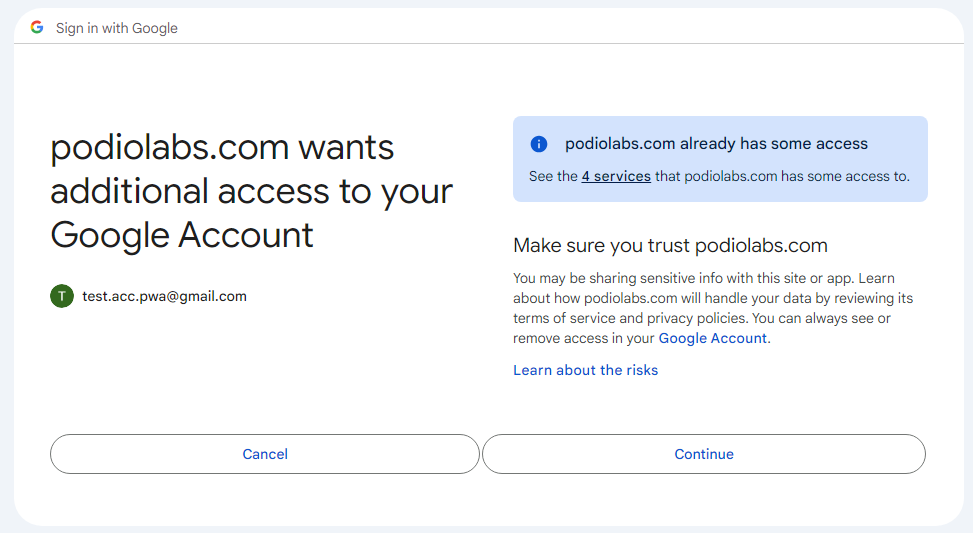
Complete the authentication process. You will receive a confirmation email at the configured email address.

-
OAuth is available for automated email settings that use Gmail or Google Suite email accounts.
Note: OAuth is not available for other email domains. Existing configurations for those domains continue to work as before.
Benefits of OAuth
-
Enhanced security: OAuth provides a more secure method of authentication, reducing the risk of unauthorized access.
-
Reliability: OAuth provides a more stable connection for sending emails through automated workflows.
Need help?
If you encounter issues during migration or have questions, contact our support team through the Podio Help Center.
Conclusion
To keep your automated email settings secure, migrate to OAuth as soon as possible.