How to create a timed Email Sequence from Podio
This is also known as an auto-responder.
For example, you have a leads app that captures new leads in Podio, and you want to send specific follow-up emails after 2 days, 7 days, and 18 days.
This is easily done with an additional date field, a number field, and a few flows in GlobiFlow.
The Setup
-
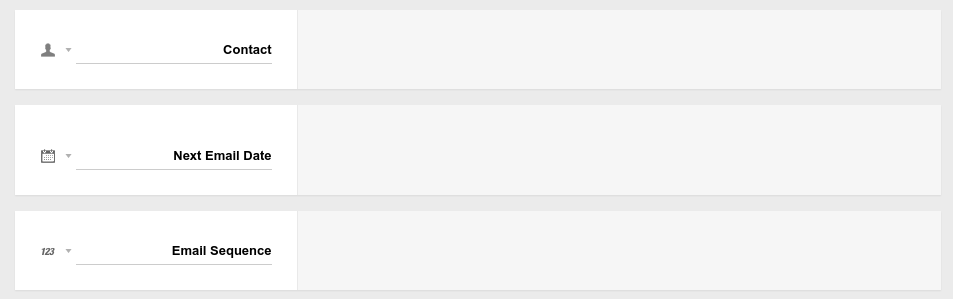
Add a date field and a number field to your Leads App to store the next date to send and the sequence number of the next email to send.
-
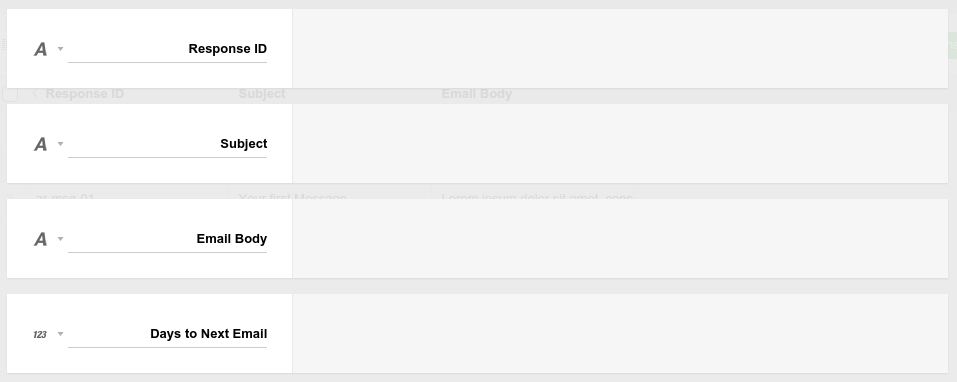
Next, we'll need an App to store the email templates we're going to send. We'll call the app Auto Responder, and it will have the following fields:
-
Response ID - to be able to find the relevant email
-
Email Subject
-
Email Message Content
-
Number of days to wait before sending the next email
-
-
Now, we can create our individual email messages that we're going to send out to contacts over a period of time.
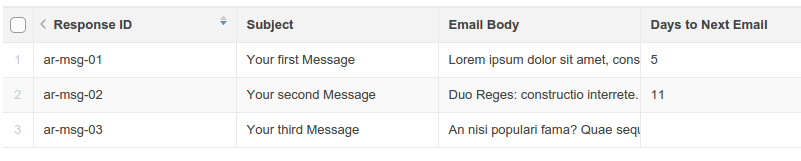
Notice that the individual email ID's are:
- ar-msg-01
- ar-msg-02
- ar-msg-03
Initialize each Contact
When a new lead is created in our leads app, we now need to set the initial date and sequence number.
We'll do this with a flow on create:
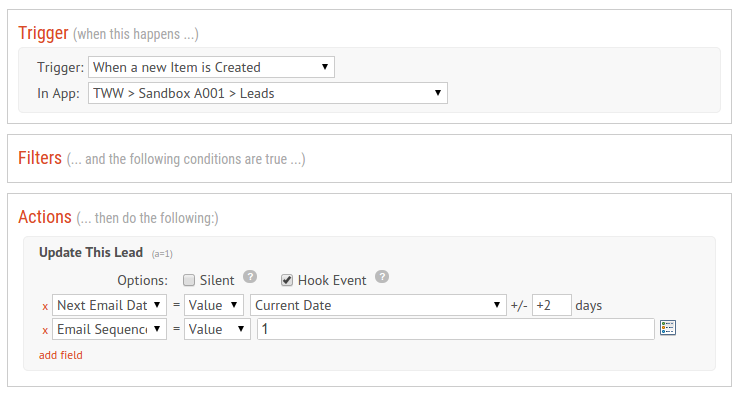
This flow is basically just setting all new leads to get the first email message in 2 days from when they were created.
Sending the Email Sequence
In order to send the actual email sequence, we need a date-based Flow on the lead's next email date field.
This flow needs to:
-
find the correct email to send
-
make sure we found an email (and haven't reached the end of the sequence)
-
send the email
-
update the date field and number to the next value in the sequence
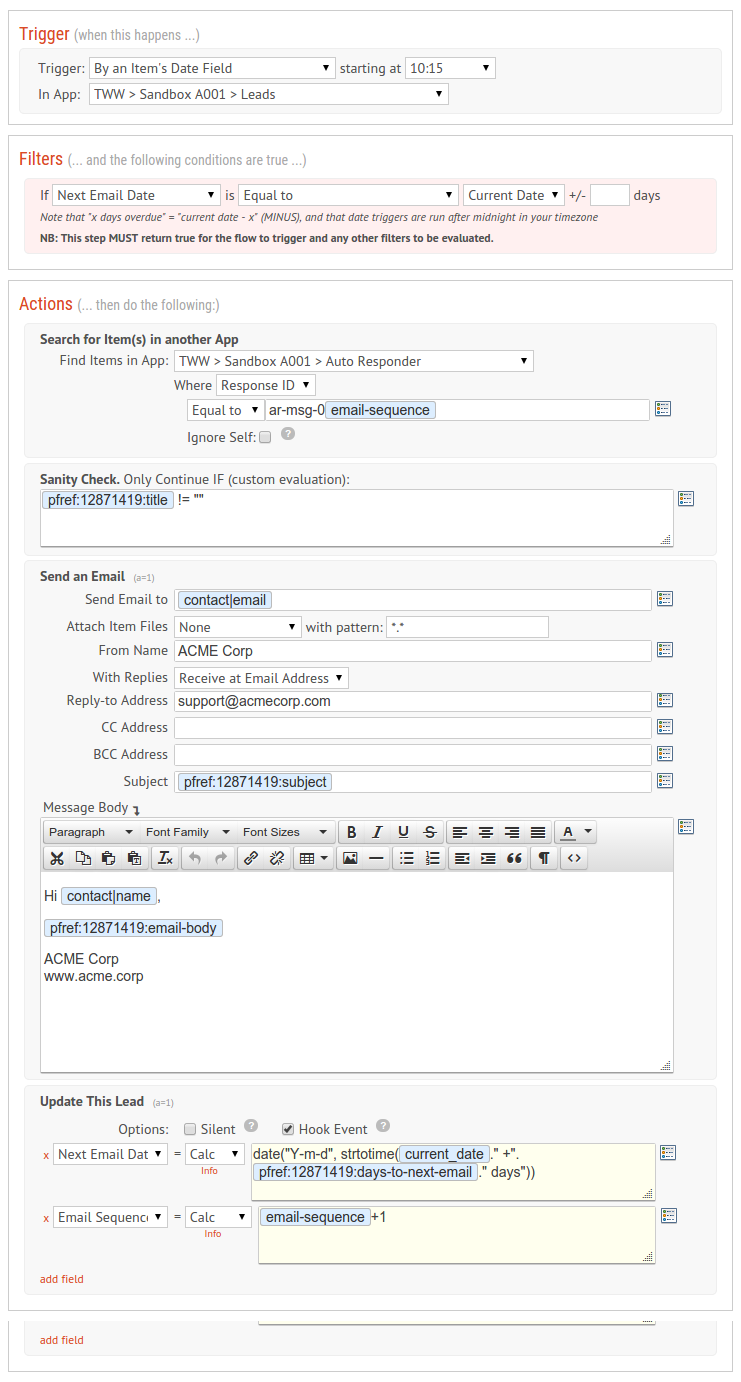
The formula for calculating the next date in the sequence may look a little complex, but it's actually quite simple. Basically you want to end up with an expression like:
date("Y-m-d", strtotime("2015-07-12 +7 days"))Warning: Sending unsolicited email is a punishable offence in most countries. Make sure you only send automated emails or text messages to people you know.
Note: If we receive spam complains, you may get your GlobiFlow account suspended. It is highly recommended to use your own SMTP server, which you can add on the Account page.