
Work with the HTML editor
You can enter and edit text as HTML code by clicking HTML code icon in the right upper corner of the formatting toolbar.
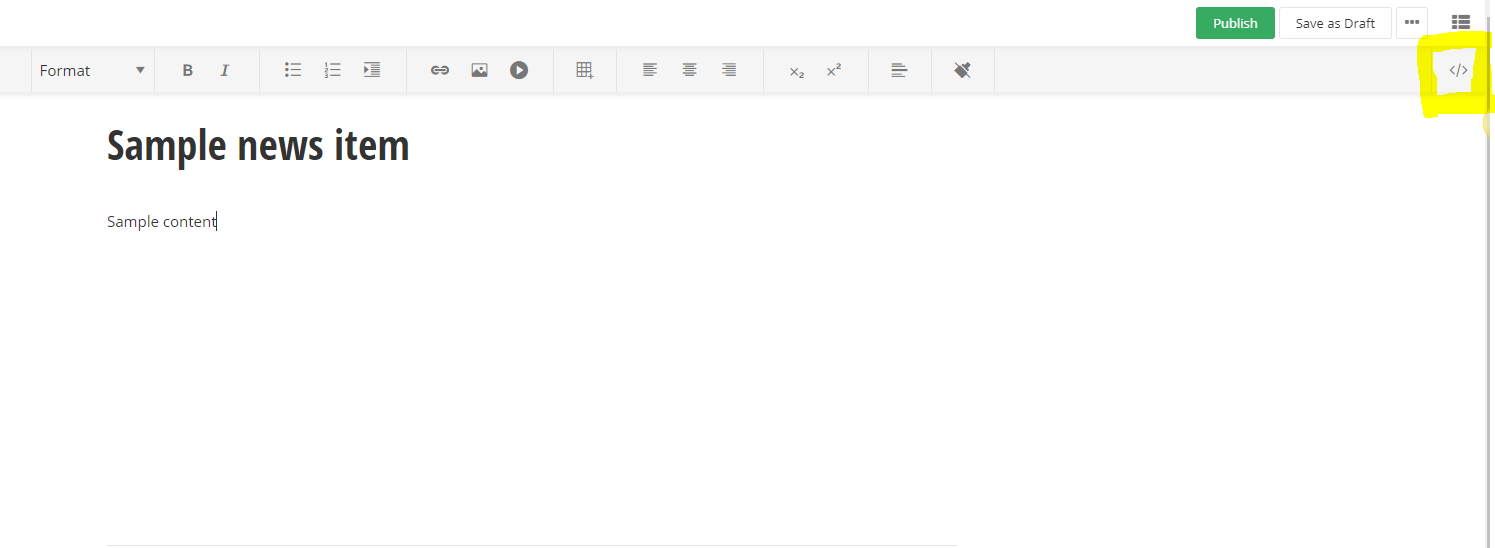
The HTML editor is based on the Monaco editor. The HTML source editing comes with validation, syntax highlighting, and IntelliSense makes working with the code easy. For example, if you want to add a header in the HTML code, you simply start typing <h> and the editor provides you with a list of suggestions and explanation about each tag.
You can also embed images, videos, and links in the HTML, so that they are displayed in the content.
To embed an object, perform the following:
- Open the Images, Videos, or Documents page respectively.
- Click Embed this images, Embed this video, or Embed link to this file respectively and copy the string of Embed input field.
- In the text editor, switch to HTML mode and paste the string where you want the object to appear.
To switch back to Design mode, click Done.
Want to learn more?
Enhance your Sitefinity skills by enrolling in free training sessions. Become Sitefinity certified through Progress Education Community to strengthen your professional credentials.

Get started with Integration Hub | Sitefinity Cloud
This free lesson teaches administrators, marketers, and other business professionals how to use Sitefinity Integration Hub to create automated workflows between Sitefinity and other business systems.
Web Security for Sitefinity Administrators
This free lesson teaches administrators the basics about protecting your Sitefinity instance and your sites from external threats. Configure HTTPS, SSL, allow lists for trusted sites, and cookie security, among others.
Foundations of Sitefinity ASP.NET Core Development
The free on-demand video course teaches developers how to use Sitefinity ASP.NET Core and take advantage of its decoupled architecture and modern development model.