
Video selector
The video selector enables you to display and retrieve one or several selected videos.
Using the video selector, you can:
- Select and deselect videos
- Select one or multiple videos
- Upload videos by either selecting them from a list, or using drag and drop
- Search for videos in the currently opened library or in all libraries
- Select the provider from which to retrieve videos
- Filter videos by Libraries, Categories, Tags, or Dates
- Sort videos by Title, Date created, or Date modified
NOTE: You can change the video selector's behavior by editing the widget's properties in the Advanced settings section.
The videos you select are stored in a scope array variable. The default template visualizes videos using the sfCollection directive. For more information, see Use a generic collection directive.
You can use the video selector in the frontend, as well as in the backend. For example, on a page, as well as in a widget designer.
The sfVideoSelector is a directive with an isolated scope that is defined in a module with the same name: sfVideoSelector.
The following image is an example of a video selector:
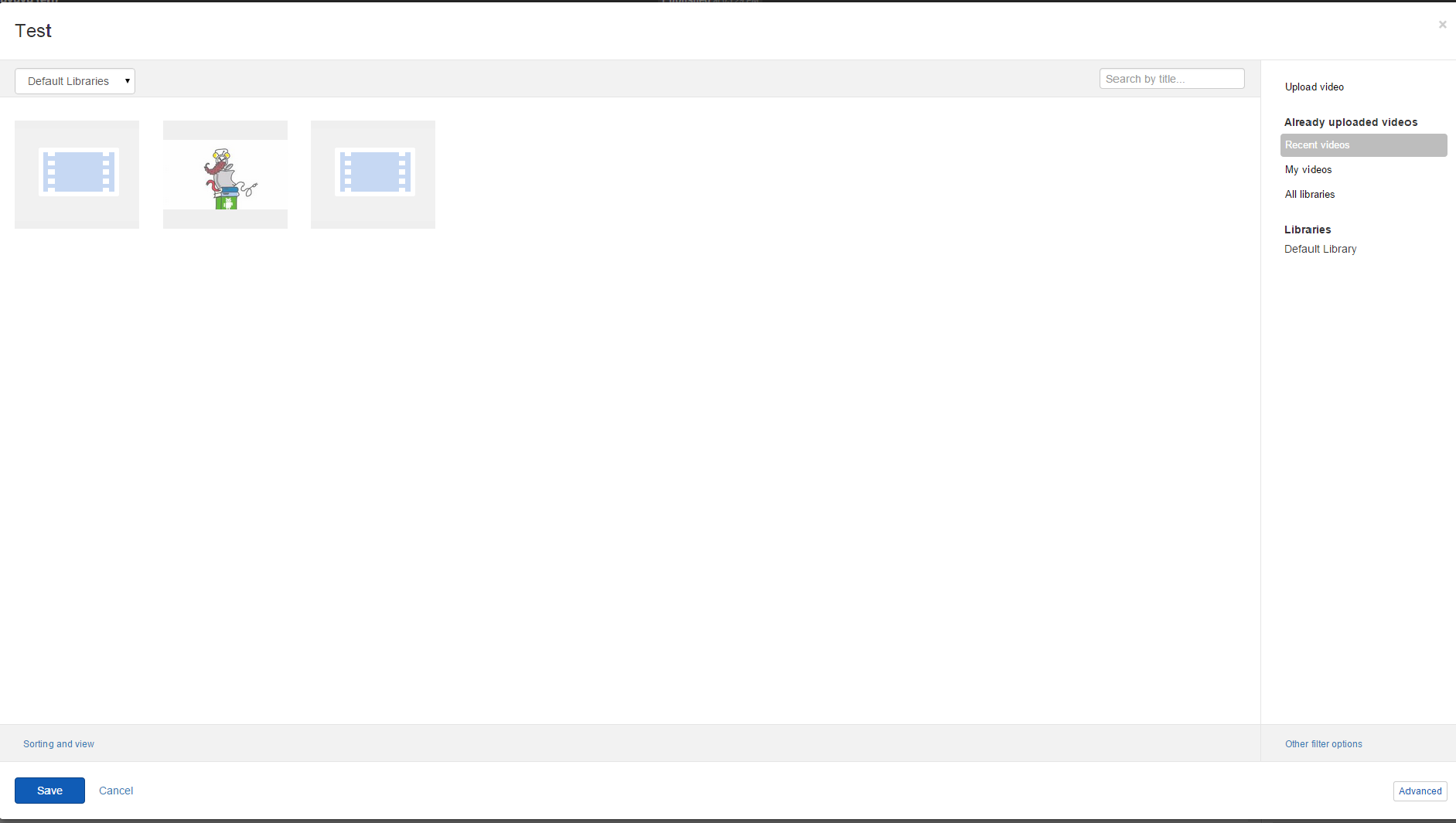
In your DesignerView.YourView.cshtml file, place one of the following tags anywhere in the HTML code:
Single item selection:
@using Telerik.Sitefinity.Frontend.Mvc.Helpers
<div><label>Choose a video: </label>

    <sf-media-field class="sf-Media--info modal-settings"
                    sf-auto-open-selector
                    sf-model="properties.Id.PropertyValue"
                    sf-media-type="videos"
                    sf-provider="properties.ProviderName.PropertyValue"
                    sf-media-settings="@SettingsHelpers.GetMediaSettings("Video")"></sf-media-field>
</div>
Multiple item selection:
@using Telerik.Sitefinity.Frontend.Mvc.Helpers
<div><label>Choose a video: </label>

    <sf-media-field class="sf-Media--info modal-settings"
                    sf-auto-open-selector
                    sf-model="properties.Id.PropertyValue"
                    sf-media-type="videos"
                    sf-provider="properties.ProviderName.PropertyValue"
                    sf-media-settings="@SettingsHelpers.GetMediaSettings("Video")"></sf-media-field>
</div>
The values of the attributes are scope properties that you define in the MVC widget controller.
|
Attribute |
Description |
|
|
Accepts a scope variable that holds the selected items. |
|
|
Accepts a provider name to use when retrieving the items to display. |
|
|
Allows you to override the template of the video selector. |
|
|
Specifies the assembly where the template of the video selector is located. |
|
|
Defines whether the selector displays videos and their statuses, such as Draft, Locked, and so on, or only published videos. To configure the Videos selector to display master items, that is, all videos, independently of their status, set the
|
