

Description
The major themes for OpenEdge 11.2 are mobility and productivity. This training supports these themes. This release lays the foundation for both OpenEdge Mobile application and OpenEdge REST Web application development and deployment including security considerations. The OpenEdge 11.2 Introduction session outlines all the topics that will be presented and includes Database enhancements. The Platforms and Installation session highlights the inclusion of Tomcat for OpenEdge developers during design and testing of Mobile and REST applications. OpenEdge ABL highlights the enhancements requested by customers and the inclusion of SINGLE-RUN and SINGLETON procedures. The sessions on OpenEdge REST Web services detail the REST development and deployment support for REST Web applications. The sessions on OpenEdge Mobile detail the Mobile development and deployment support for both client side Mobile Apps and server side Mobile Web applications. Security is a key consideration as you deploy your OpenEdge Mobile applications and OpenEdge REST Web applications, so you’ll want to watch the security session which demonstrates how OpenEdge incorporates the industry standard Spring security and HTTPS along with the CLIENT-PRINCIPAL for securing your applications.
NOTE: These sessions are recordings of a live internet presentation that was originally intended for internal use only. The audio quality varies due to the diverse physical location of the students and instructor, as well as the variety of audio equipment used by the attendees.
Product Version
Progress OpenEdge 11.2
Prerequisites
Knowledge of Progress OpenEdge
Each of the sessions covers new and enhanced features for a particular area. You should be knowledgeable on the subject based on the title of the session: Developer Studio for OpenEdge, OpenEdge Explorer / OpenEdge Management, Database, SQL, ABL. Participants should review the existing documentation regarding CLIENT-PRINCIPAL for the session on OpenEdge Security.
How to Subscribe
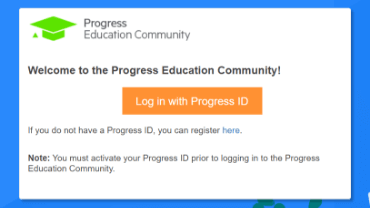
Step 1 - Log in
Visit the Progress Education Community (PEC) and log in with your Progress ID. If you do not have a Progress ID, you can register here.
Note: You must activate your Progress ID prior to logging in to the Progress Education Community
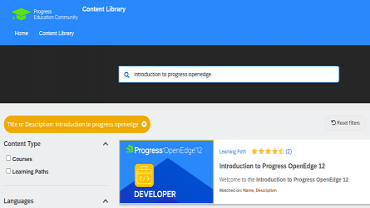
Step 2 - Find Your Content & Start Learning
Navigate to the Content Library and search for: Product Update Training: Progress OpenEdge 11.2. Then simply click the title for FREE access to the course.

Interested in the Class?
Stay up to date with technology trends and get the most out of your Progress technology investment.