

Course Details
This course provides an updated curriculum for Sitefinity business users (content editors), aligned with the latest product version.
The Create and Manage Content in Progress Sitefinity course introduces the Progress Sitefinity content management system and demonstrates how to create and publish content such as blogs, news items, and online forms, create page templates and pages, work with dynamic content modules, and publish content within approval workflows.
The training materials include instructions for setting up an online Sitefinity sandbox, which learners are expected to use in exercises throughout the course.
The Create and Manage Content in Sitefinity training is available for purchase through the Progress Education Community. Complimentary seats (education tokens) may also be included in your Sitefinity Support Plan.
Audience
Sitefinity Content Editors
Duration
Equivalent to 8 hours of instructor-led learning
Product Version
This course is compatible with Progress Sitefinity 15 and later
What You Will Learn
After taking this course, you should be able to:
- Describe the key features of Sitefinity.
- Create pages and page templates.
- Create and edit content using built-in content modules.
- Create dynamic content modules.
- Work with online forms.
- Manage content using approval workflows
How to Subscribe
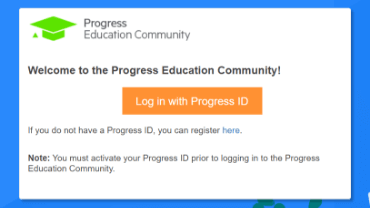
Step 1 - Log in
Visit the Progress Education Community (PEC) and log in with your Progress ID. If you do not have a Progress ID, you can register here.
Note: You must activate your Progress ID prior to logging in to the Progress Education Community
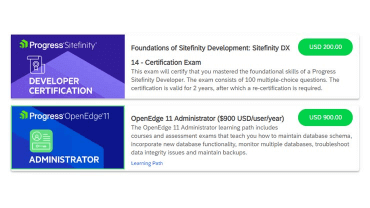
Step 2 - Purchase Content
Visit the eCommerce page and find your content: Create & Manage Content in Sitefinity. Purchase it via PayPal or credit card.
Note: Enter the First Name, Last Name, and Email associated with your Progress ID on the Course Checkout page.
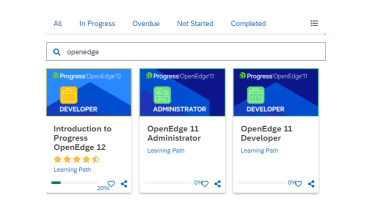
Step 3 - Start Learning
When the transaction is complete, click the PEC logo to return to the home dashboard and access your purchased content.

Already a PEC Subscriber?
Log in to your Progress Education Community account to purchase the course and certification.