
Basic OpenEdge Developer Certification Exam
On-Demand Training

Description
You can subscribe to this certification exam for a cost of $150 per user.
The Basic OpenEdge Developer Certification Exam consists of 225 multiple-choice questions. The exam is graded automatically with 75% being the passing grade. Once you start the exam, you will have 4 hours to complete it. Once started, the exam cannot be paused and continued at a later stage.
If you do not pass the exam, you can retake the exam again after a two-week waiting period. You can attempt the exam five times in a 12-month period.
The certification is valid for two years, after which a re-certification is required. An official certificate and a “Basic OpenEdge Developer” logo acknowledging your expertise will be automatically made available for you upon successfully passing the certification.
Audience
Basic OpenEdge 12 Developers
Duration
Once you start the exam, you will have 4 hours to complete it.
Product Version
This certification exam is compatible with OpenEdge 12.2.
Prerequisites
Before you begin this certification exam, you should meet the competencies taught in the Basic OpenEdge Developer learning path. This learning path includes the following self-paced training courses and assessment exams:
Introduction to Progress OpenEdge (12)
Introduction to Progress OpenEdge Database (12)
Introduction to Progress OpenEdge Application Architecture (12)
Introduction to Progress Application Server for OpenEdge for Developers (12)
- Introduction to Progress Application Server for OpenEdge for Developers (12): Assessment Exam
Introduction to Progress Developer Studio for OpenEdge (12)
- Introduction to Progress Developer Studio for OpenEdge (12): Assessment Exam
Introduction to Object-oriented Programming (12)
- Introduction to Object-oriented Programming (12): Assessment Exam
Using ProDataSets (12)
- Using ProDataSets (12): Assessment Exam
ABL Essentials (12)
- ABL Essentials (12): Assessment Exam
How to Subscribe
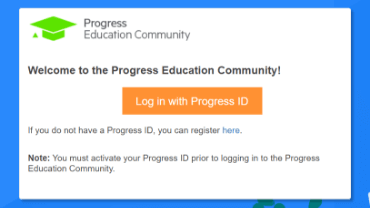
Step 1 - Log in
Visit the Progress Education Community (PEC) and log in with your Progress ID. If you do not have a Progress ID, you can register here.
Note: You must activate your Progress ID prior to logging in to the Progress Education Community
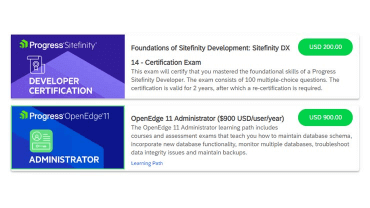
Step 2 - Purchase Content
Visit the eCommerce page and find your content: Basic OpenEdge Developer Certification Exam. Purchase it via PayPal or credit card.
Note: Enter the First Name, Last Name, and Email associated with your Progress ID on the Course Checkout page.
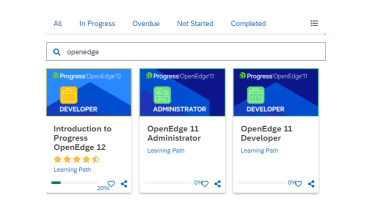
Step 3 - Start Learning
When the transaction is complete, click the PEC logo to return to the home dashboard and access your purchased content.

Interested in the Class?
Stay up to date with technology trends and get the most out of your Progress technology investment.