
Accessing OpenEdge Data Object Services from Kendo UI
On-Demand Training

Course Description
An OpenEdge ABL application can be designed to provide the business logic and data for an application that runs in a Progress Application Server instance. OpenEdge Data Object Services can be made available to developers creating a compelling UI using Kendo UI. Kendo UI widgets can be written to access OpenEdge Data Object resources.
In this course, you will learn how to add code to a Web-based client application to access OpenEdge Data Object Services from Kendo UI widgets. First you will learn how to specify the JavaScript libraries that provide the client functionality for accessing OpenEdge Data Object Services. Then you will learn how to identify the OpenEdge Data Object resources your Kendo UI widgets will need. Next, you will create a Progress JavaScript Data Object (JSDO) session that connects to the OpenEdge Data Object Service and accesses the Data Object Service Catalog. Then you will learn how to create a JSDO object for a resource in an OpenEdge Data Object Service. Next, you will learn how to use an OpenEdge Data Object resource as a data source for a Kendo UI widget. Finally, you will learn how to call an OpenEdge Data Object resource’s invoke operation from a Kendo UI client.
The materials that you receive with this course include a Course Guide, which includes hands-on lab exercises and step-by-step solutions, and a CD with example code and exercise files with solutions.
This course is available as Instructor-Led Training and online with a subscription to the Progress Education Community.
Duration
Equivalent to 4 hours of instructor-led training
Product Version
Progress OpenEdge 11.6
What you will learn
After completing this course you should be able to:
- Specify the JavaScript library for accessing an OpenEdge Data Object Service.
- Determine which OpenEdge Data Object resources are required for each Kendo UI widget in your client code.
- Write JavaScript code to:
- Create and initialize a JSDO Session object.
- Create a JSDO object for a Progress Data Object resource.
- Use an OpenEdge Data Object resource as the data source for a Kendo UI widget.
- Call an OpenEdge Data Object resource’s invoke operation from a Kendo UI client.
Prerequisites
You should already be able to:
- Develop JavaScript code.
- Create OpenEdge Data Object Services that run in a Progress Application Server instance.
- Develop Kendo UI client code
How to Subscribe
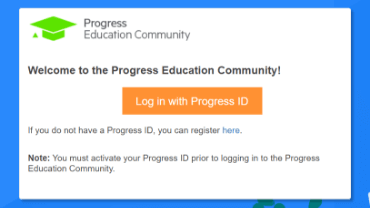
Step 1 - Log in
Visit the Progress Education Community (PEC) and log in with your Progress ID. If you do not have a Progress ID, you can register here.
Note: You must activate your Progress ID prior to logging in to the Progress Education Community
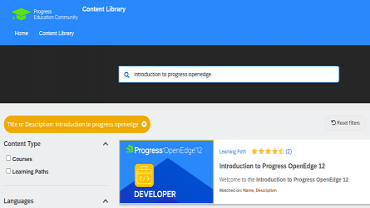
Step 2 - Find Your Content & Start Learning
Navigate to the Content Library and search for: Accessing OpenEdge Data Object Services from Kendo UI. Then simply click the title for FREE access to the course.

Interested in the Class?
Stay up to date with technology trends and get the most out of your Progress technology investment.