# Podio Timesheets done Right
[Globi Web Solutions](https://www.globi.ca/) is a **Web Design**, **Development**, and **Marketing Agency** in **Calgary**, **Canada**. We use Podio to manage pretty much everything in the business (except accounting), but one of the main business areas that **Podio** helps us in, is **Project Development**, and **Maintenance Work**.
Since we bill maintenance by the hour, and calculate project profitability by hours used on a project, timesheets are one of the most important elements in the business.
All current **Podio Timesheet** apps seem to fail to deliver, because of the lack of control and reporting. Although it's easy enough to allow employees to input their time into an app, we needed a more robust method to be able to see total time used on a project or work order, and total hours recorded by employees on a per-employee and per-day basis. Since people seem to hate entering timesheets, it's imperative to be able to police this area diligently.
Some of the highlights of this implementation are:
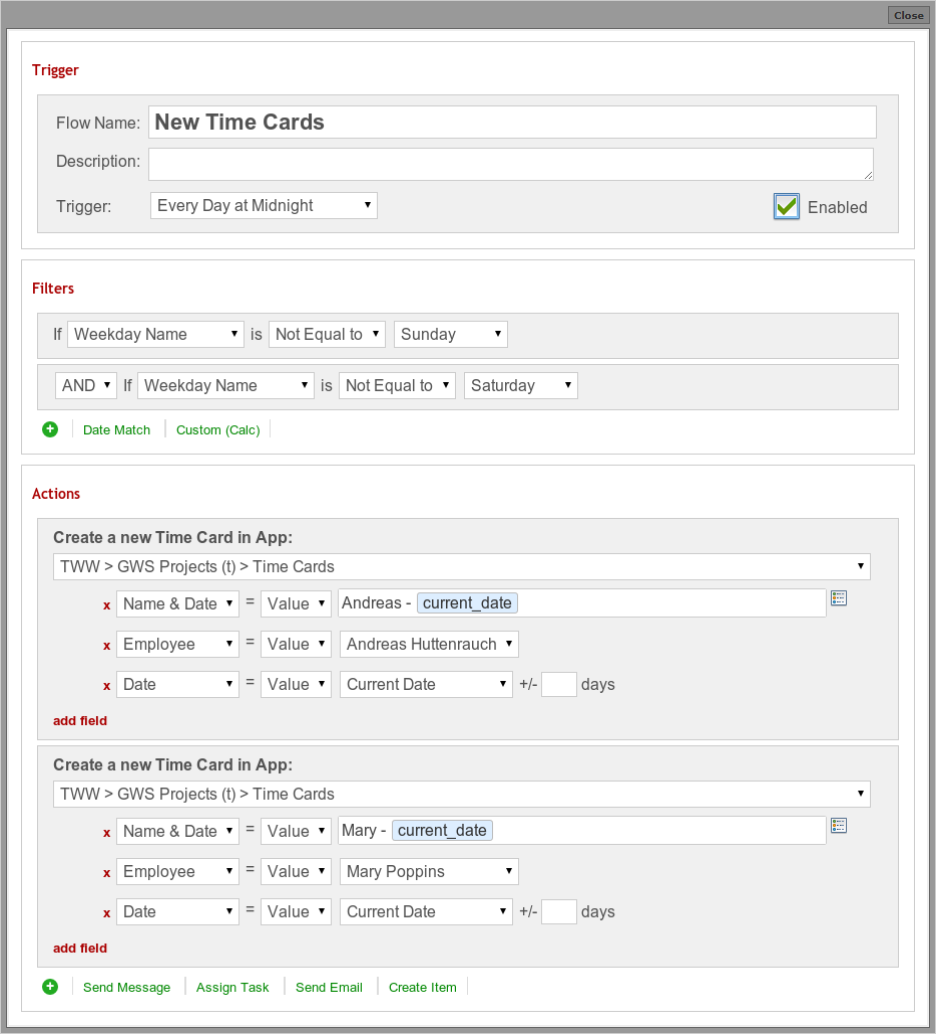
* Each employee has a time card created for them every week day.
* Employees record time against Projects, Deliverables, Work Orders, or Tasks.
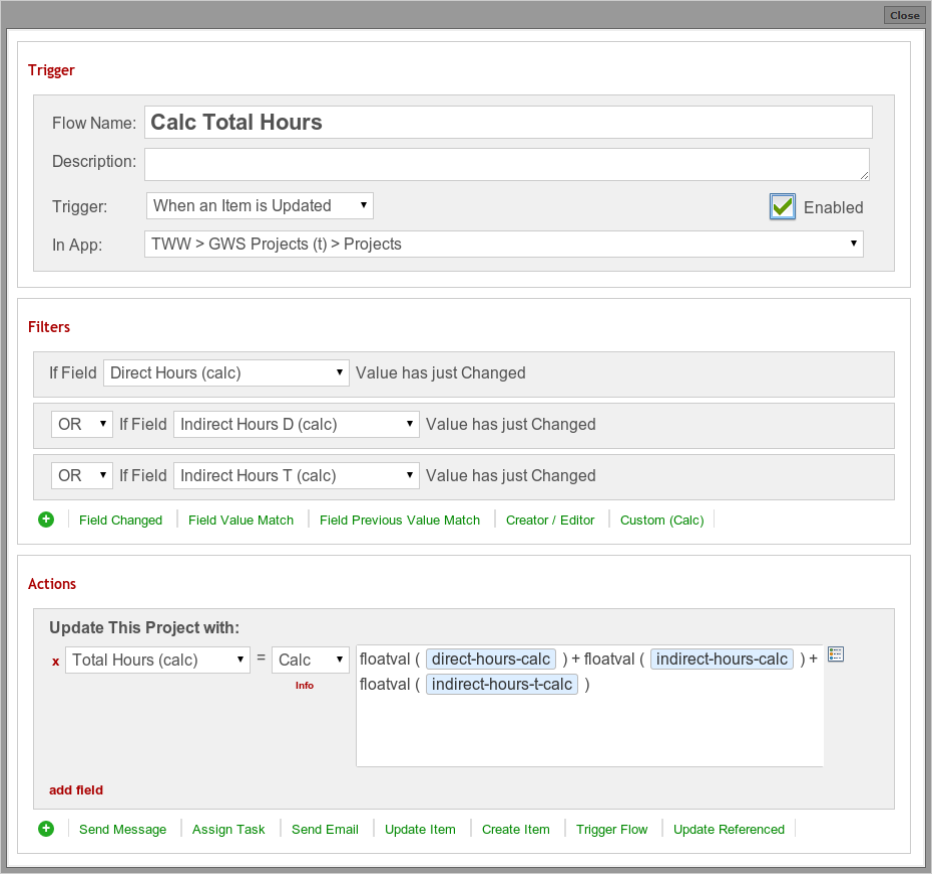
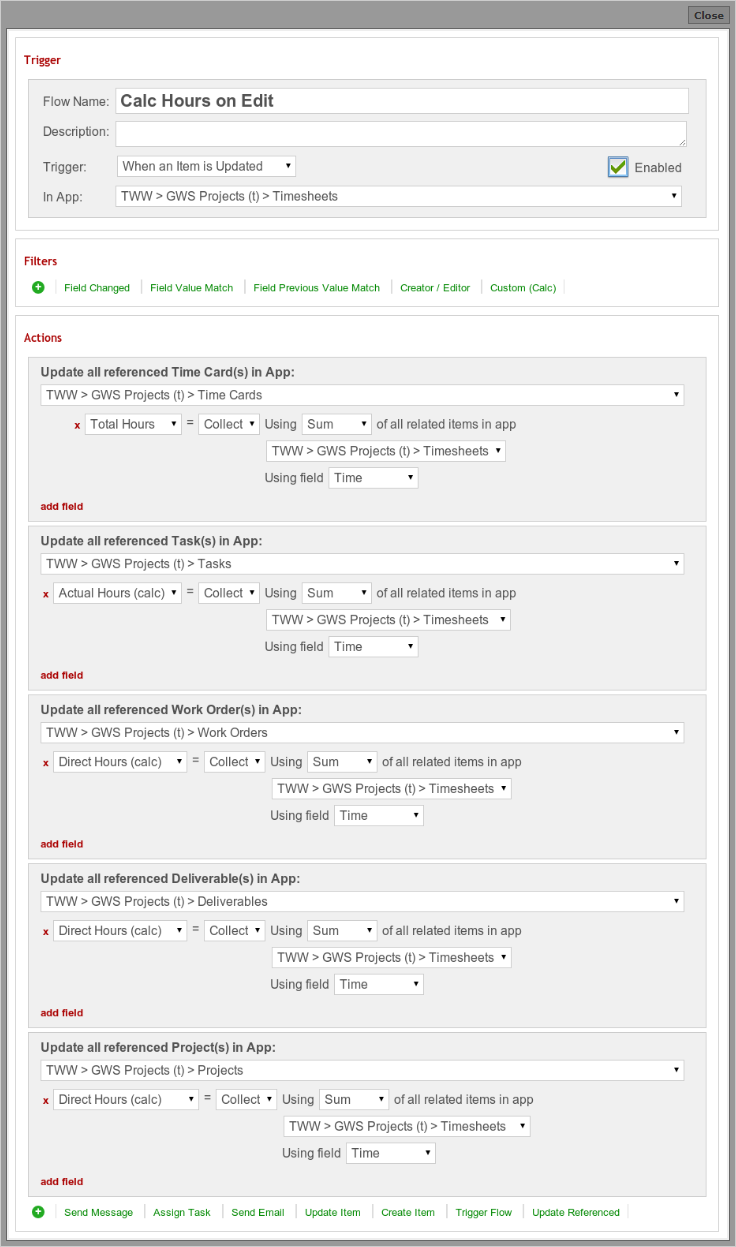
* Time logged is automatically rolled up to the total at the **Project**, **Deliverables**, and **Work Orders** level.
* Reports show detailed time logged per employee per day.
In this video, we show this interesting real-world automation on a set of demo data:
## Workflow Automation
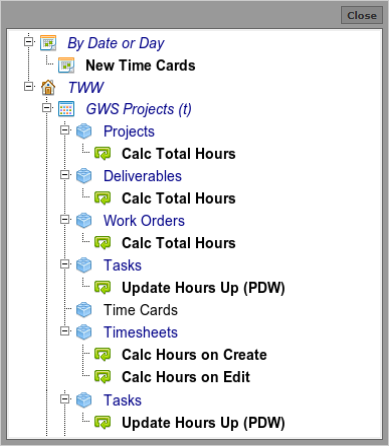
And, as always, here are the **Workflow Automation** recipes to achieve this automation:
1. **Overview**
2. **Timecards: New Time Cards**
3. **Timesheets: Calc Hours on Edit**
4. **Timesheets: Calc Hours on Create**
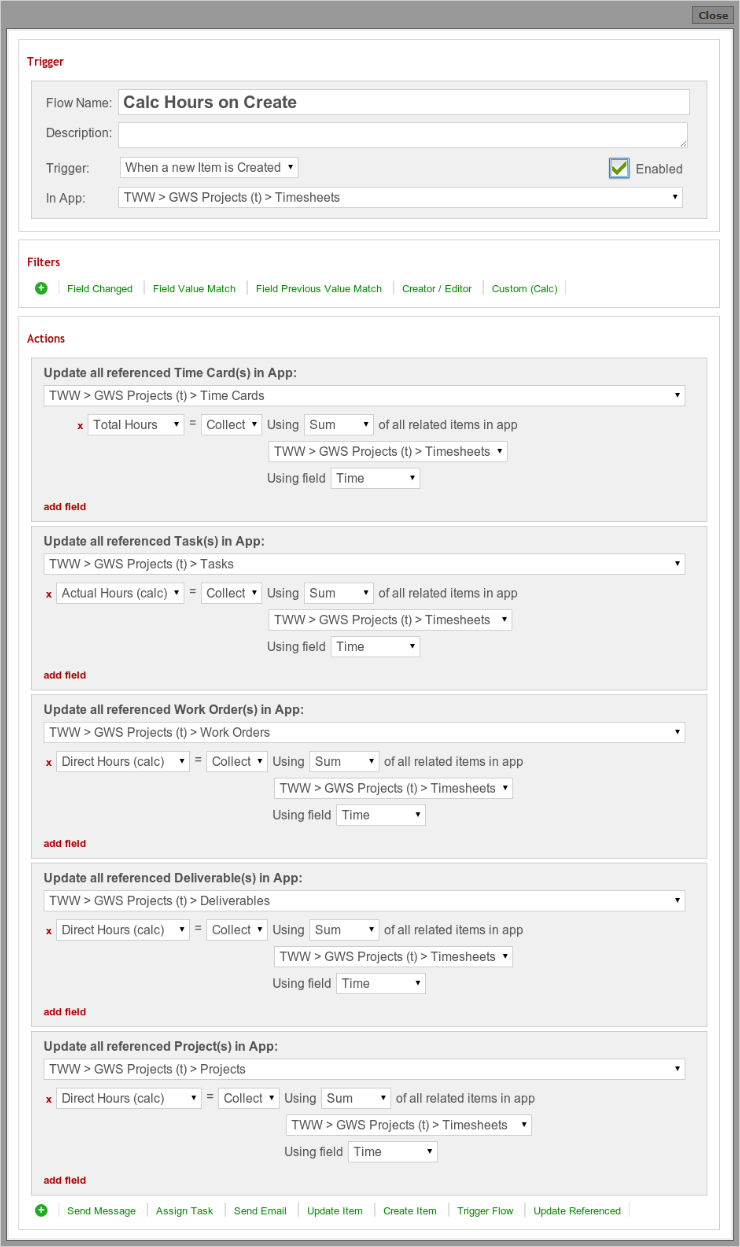
5. **Tasks: Update Hours Up (PDW)**
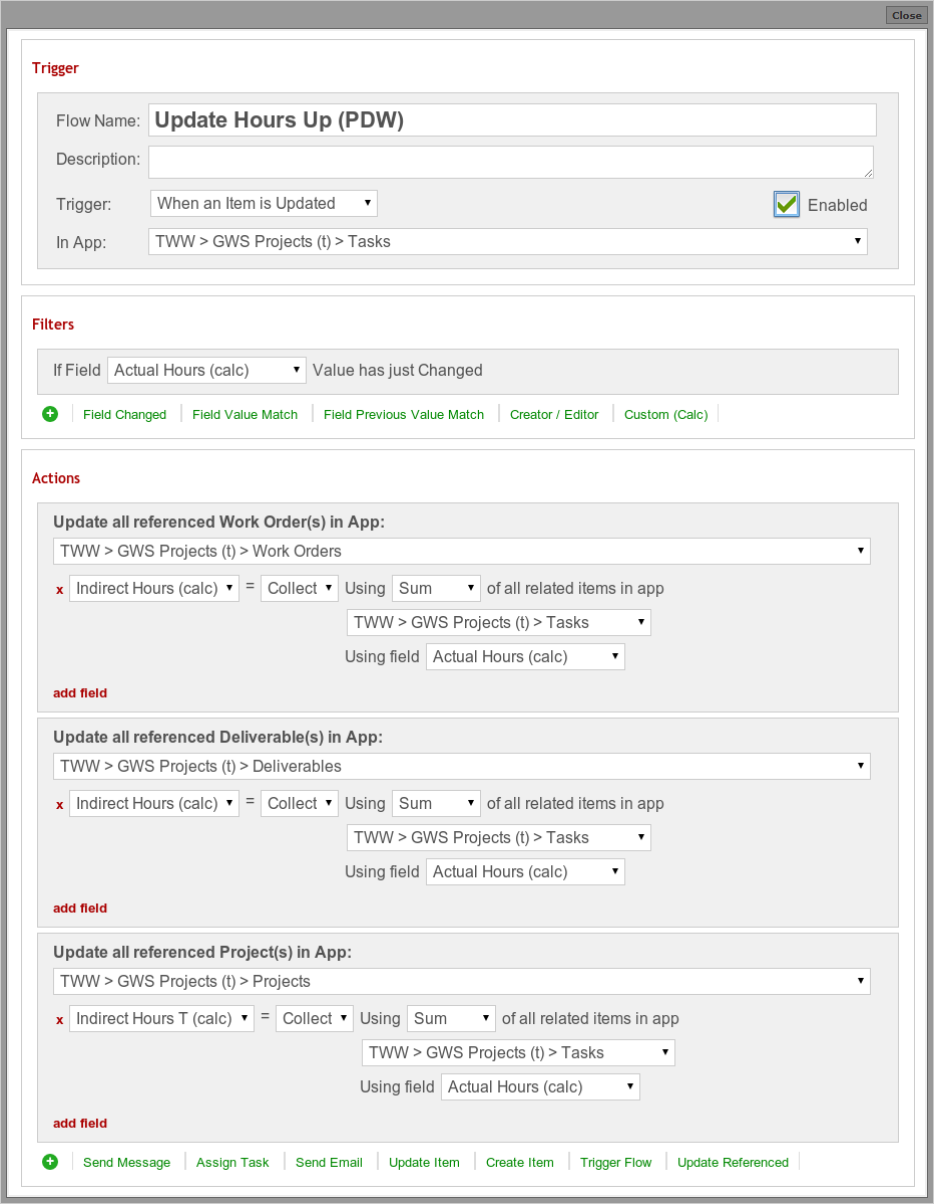
6. **Work Orders: Calc Total Hours**
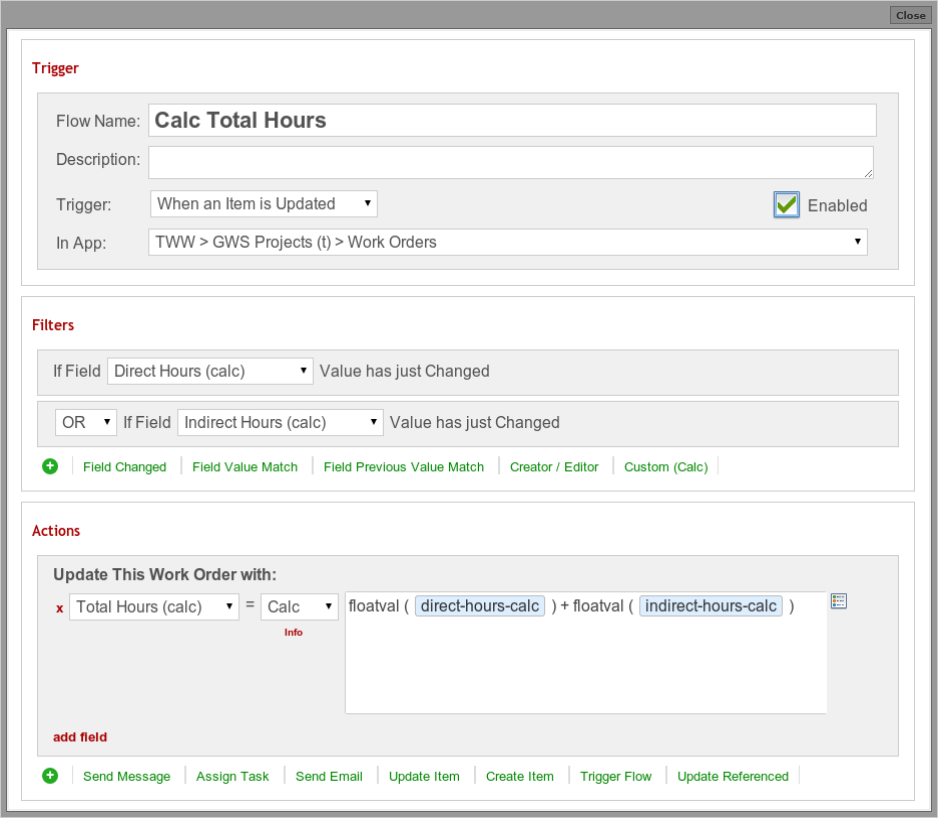
7. **Deliverables: Calc Total Hours**
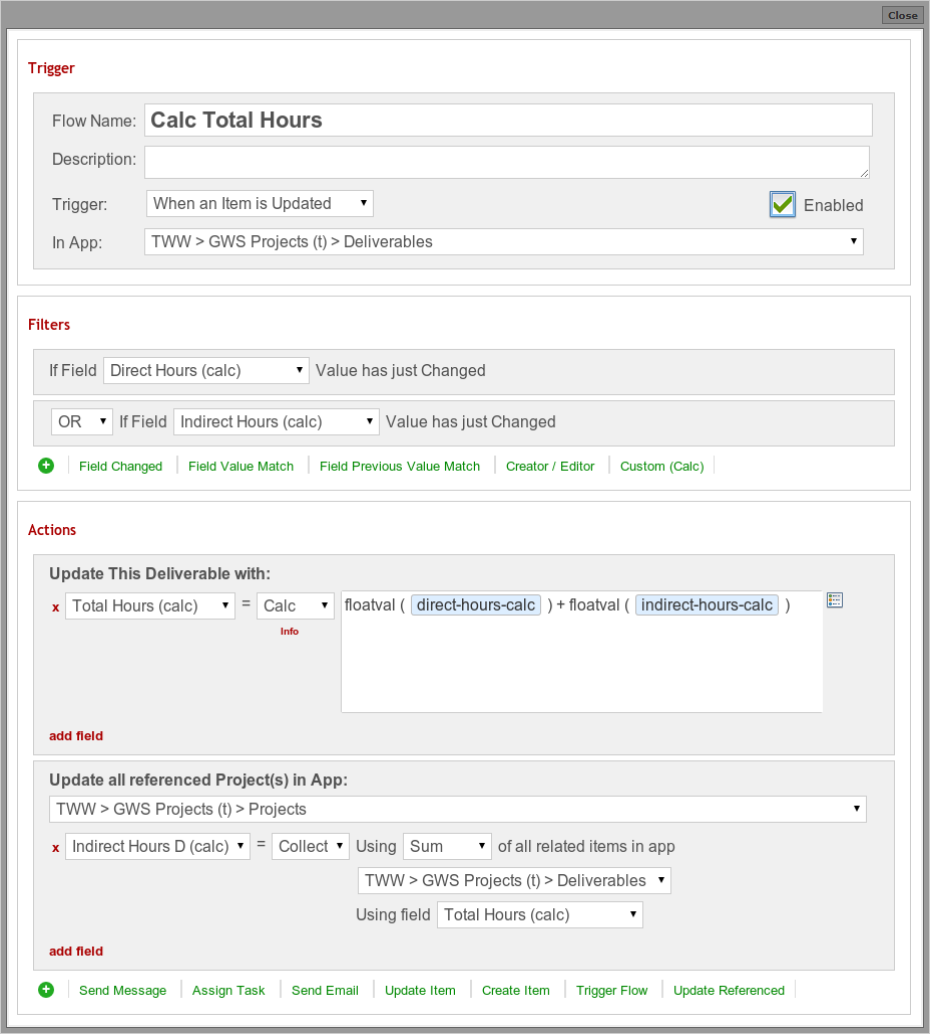
8. **Projects: Calc Total Hours**